RICOH Ri 1000
Procedure for long-term storage
6 / 22
3. Attaching the head protection cover
Installing the head protection cover will protect the print head from damage even
when the automatic maintenance function is not working because the power is off.
IMPORTANT! Turn off the printer before attaching the head protection cover.
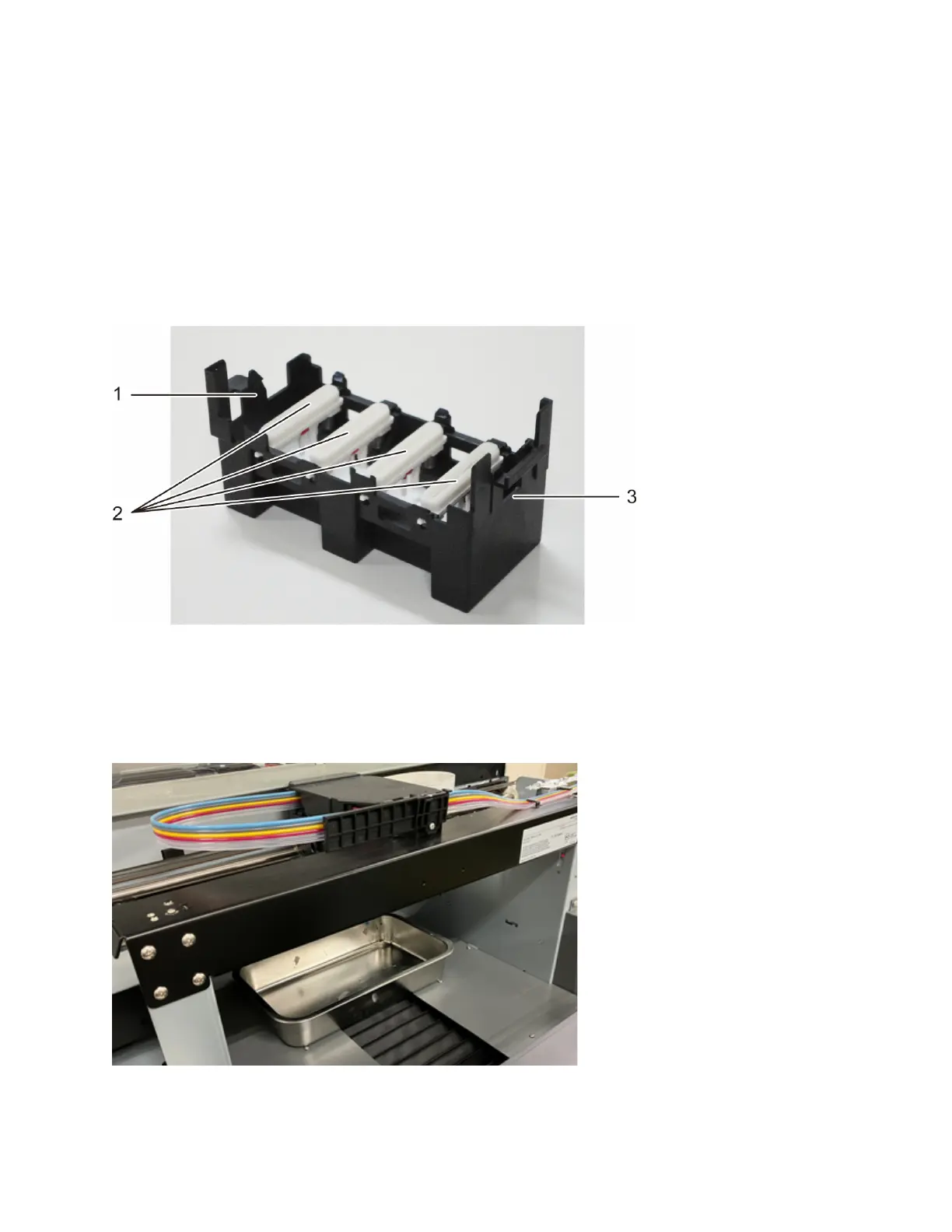
Guide to the head protection cover
1. Left side (single frame on the top front)
2. Caps
3. Right side (two frames on the top)
1.Put a tray or paper under the head.
The tray or paper prevents solid ink, lint, and cleaning liquid from entering the



 To Next Page
 Loading...