Q S - 1 2 2 3 31 Q S - 1 2 2 3 31
M ode l :QS - 1 22 3 3 1
100 V 240 V
AC 10 0V/ 240 V
50/ 60H Z
M AD E IN C HI NA K G
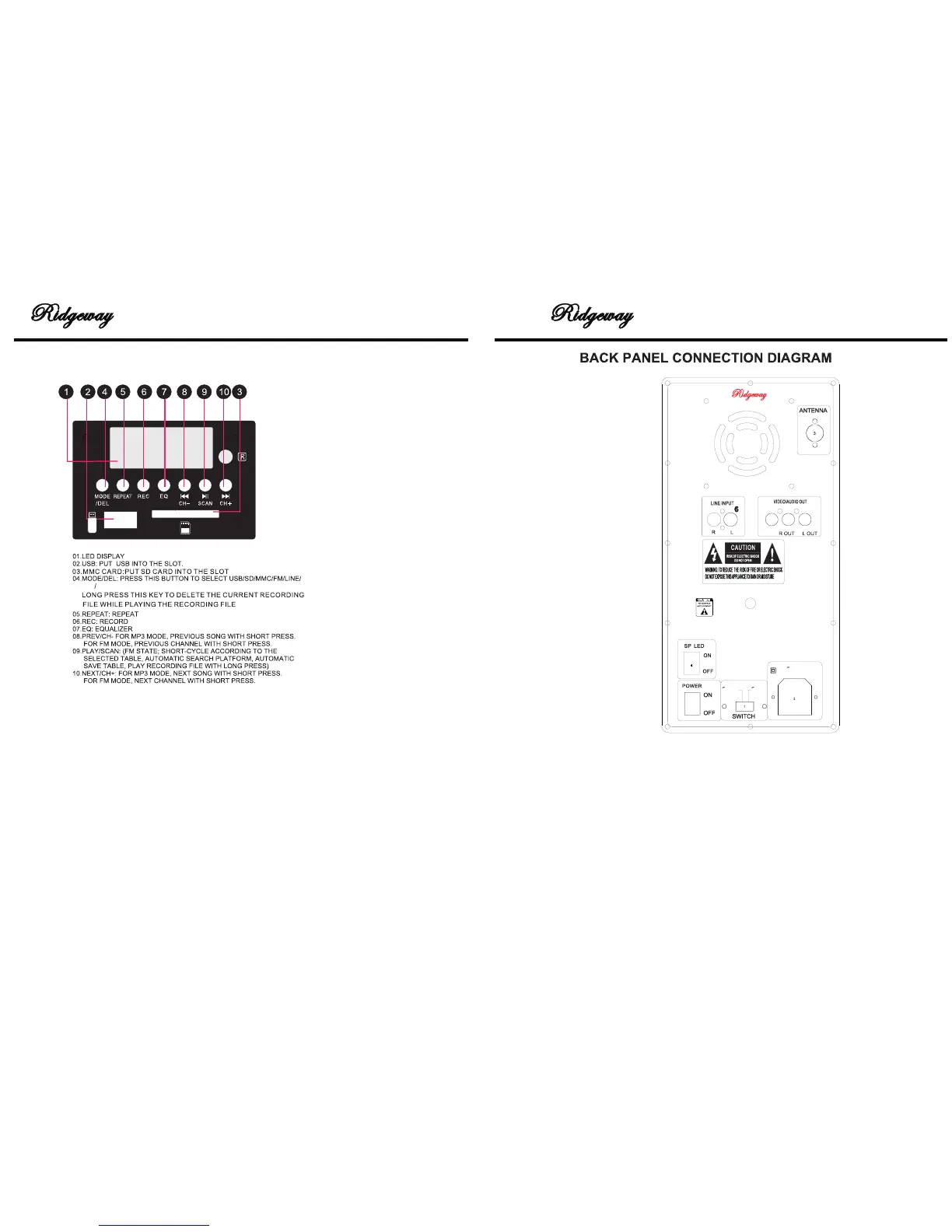
1. 110V/220V: ADJUST THE VOLTAGE 110V OR 220V
2. AC~100/240/50~60HZ: CONNECT TO AC POWER,PLEASE BE
SURE CONNECT TO 100V/240V 50- 60HZ. OUTER RANGE
POWER MAY CAUSE ACCIDENT.
3. FM ANTENNA:FM ANTENNA
4. LIGHT POWER:LIGHT ON/OFF
5. VIDEO INPUT:VIDEO INPUT JACK
6. AUDIO INPUT:AUDIO INPUT JACK
7. POWER SWITCH ON/OFF
8. AUDIO OUTPUT:AUDIO OUTPUT JACK
7
5
8
BT USE INSTRUCTION:
STEP1:
Please press “MODE’’ to let the audio signal transfer to BT condition, now the panel is
showing “BT” and the BT icon is flashing.
STEP2:
Open your others devices with BT function:Like cellphone,computer or others.Then it
automatically begins scanning for nearby BT devices. Our speaker BT is“QS- 122331”.
STEP3:
When you find the BT settings, Simply select the BT device to complete the connection.
STEP4:
lf the mobile phone cann’t find the BT settings, please turn off the audio systems and then
repeat the above operation.
USB/SD PANEL
BT
5 2


 To Next Page