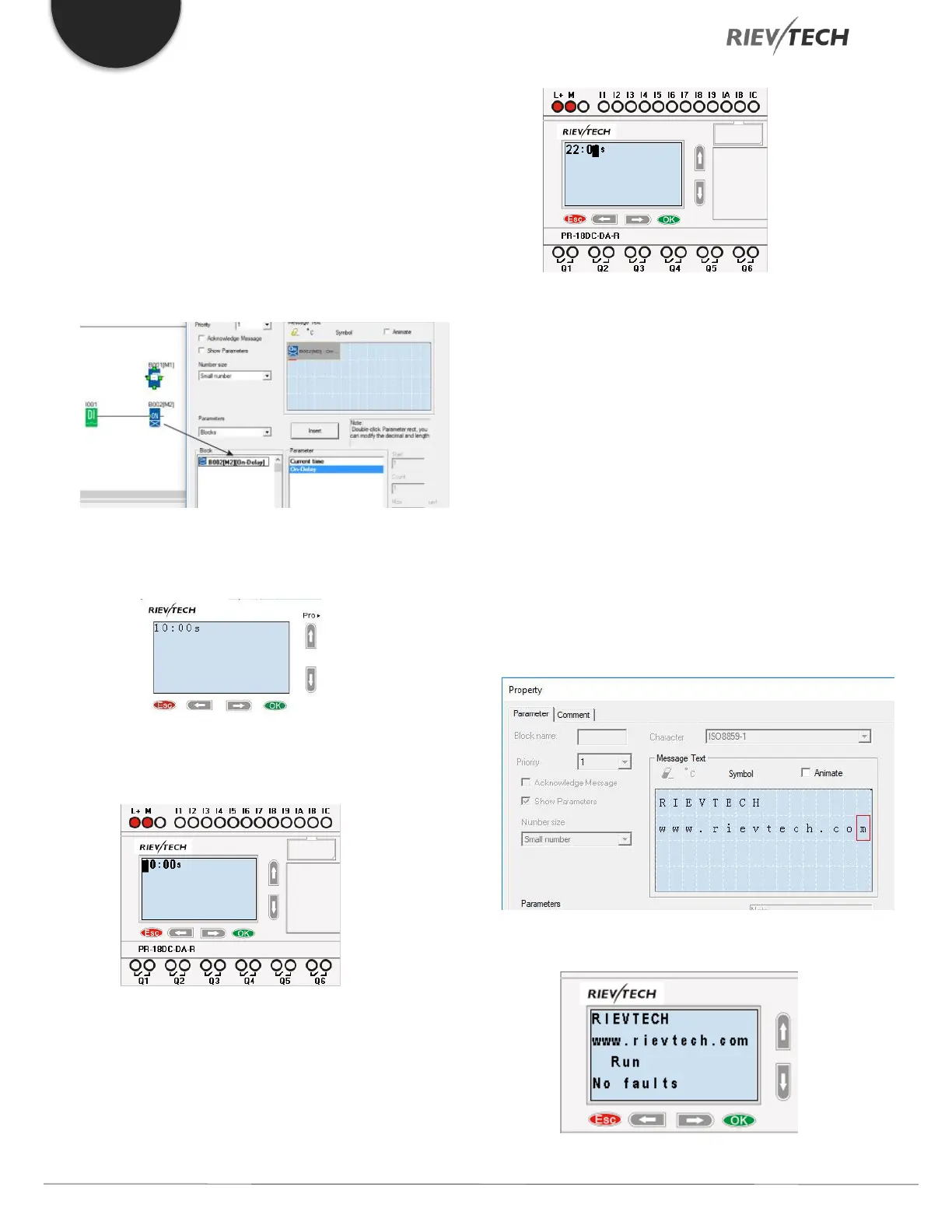
How to change the parameters of blocks in a
displayed message?
To change the parameters of a displayed
message, press “OK” key for 3 seconds.
Steps to Follow:
A. Insert the parameters of the block into the
message text. (Here is an On-delay).
B. Change the page to display the message
text contents using the arrow keys.
C. Press “OK” for 3 seconds to enter into edit
mode.
D. Modify the value by pressing the arrow
keys and confirm with the OK key.
CPU Cover
This block cannot be found in the block list as it is set as
default by the system of xLogic. To change the CPU Cover
text, use your mouse and click “Tools” menu->select “Edit
Cover HMI” in xLogicsoft.
Description of function
Display the status (Run or Stop) of xLogic when power-on
or simulation by software.
Particular characteristics to be noted when configuring
On the PLC’s screen:



 To Next Page