For ELC-18/22/26 and PR-18/24/26 and PR Ethernet
Series CPUs
PR-RS485
Ethernet: This channel is the Ethernet port; it can be used
to monitor or display the communication status of the
LAN port built-in in the CPU:
Timeout: 1—100s
Monitor type:
Tx: Data from CPU to external devices.
Rx: Data from the external device to CPU
Tx + Rx: Data transmission between external device and
CPU.
Description of the function
In order to monitor the communication status of the
RS232, RS485 and Ethernet port, we can enable this
function block. When the timeout period is exceeded, the
block will output a high-level trigger.
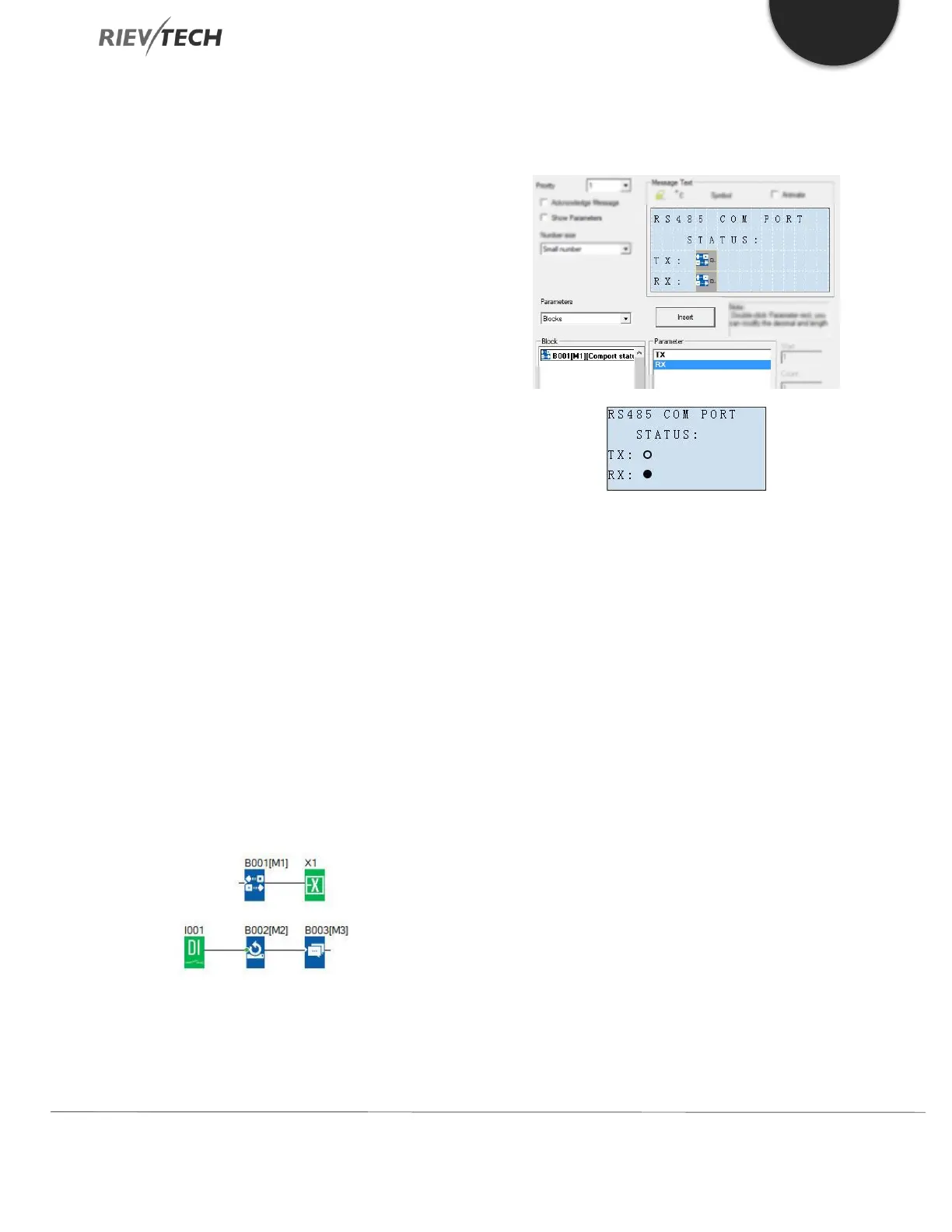
How to insert the com port status to the text
message for displaying?
Put the “com port status” into the program.
Select “BLOCKS” from the Parameters drop-down list on
the Parameters tab.
1. Select TX or Rx and insert into the screen.
2. You can edit the text on the screen, such as TX: RX:
You can view the communication status on the LCD, even
if there are no indicators on the ELC-RS232/ELC-USB/PRO-
RS485.
If data is being transmitted, the status of the com port on
the LCD will be flashing.



 To Next Page