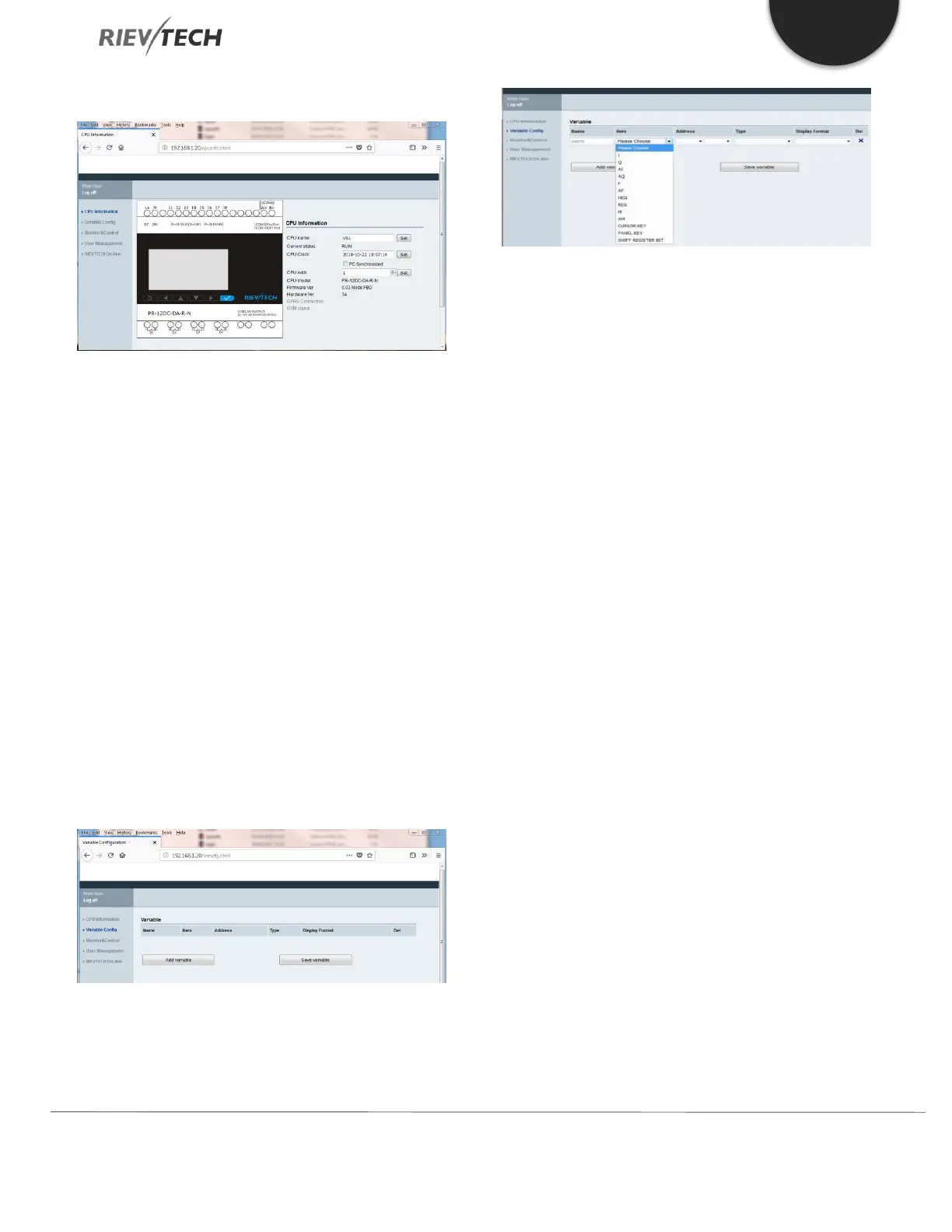
Page 2 – cpuinfo.html
This web page shows the following information by default:
CPU name – Changeable here by typing new
name and pressing ‘Set’ button
Current status – Read only
CPU Clock – Changeable here either by typing
of ticking the ‘PC Synchronized’ box and
pressing ‘Set’ button
CPU Addr – Changeable here by typing a new
number and pressing ‘Set’ button
CPU model – Read only
Firmware Ver – Read only
Hardware Ver – Read only
GPRS Connection – Read only on supporting
models
GSM signal – Read only on supporting models
Page 3 – varscfg.html
This web page allows the user to add and delete variables
they wish to view. By default no variables are set and the
user must add them. The list of variables that may be
added are:
I – Digital Input
Q – Digital Output
AI – Analogue Input
AQ – Analogue Output
F – Digital Flag
AF – Analogue Flag
HEG – Frequency Value of a Threshold Trigger
REG – Holding Register
M – Middle Coil Value of Logic Block
AM – Analogue Quantity Buffer
Cursor Key – CPU Cursor keys e.g. Arrow keys
Panel Key – CPU Panel keys e.g. OK, ESC, etc.
Shift Register Bit – Shift Registers – Read Only
A new variable is added by clicking on the ‘Add Variable’
button and selecting the type of variable required from
the ‘Item’ column dropdown.
Page 4 – monitor.html
This web page allows the user to change the rate at which
data for the browser is refreshed.


 To Next Page
 Loading...


