Actuate the pushbutton - The light is switched on
and switched off again on the expiration of a
predefined time.
Hold the pushbutton down - Switches on for
continuous lighting
Press the pushbutton once more - Switches off
the lighting
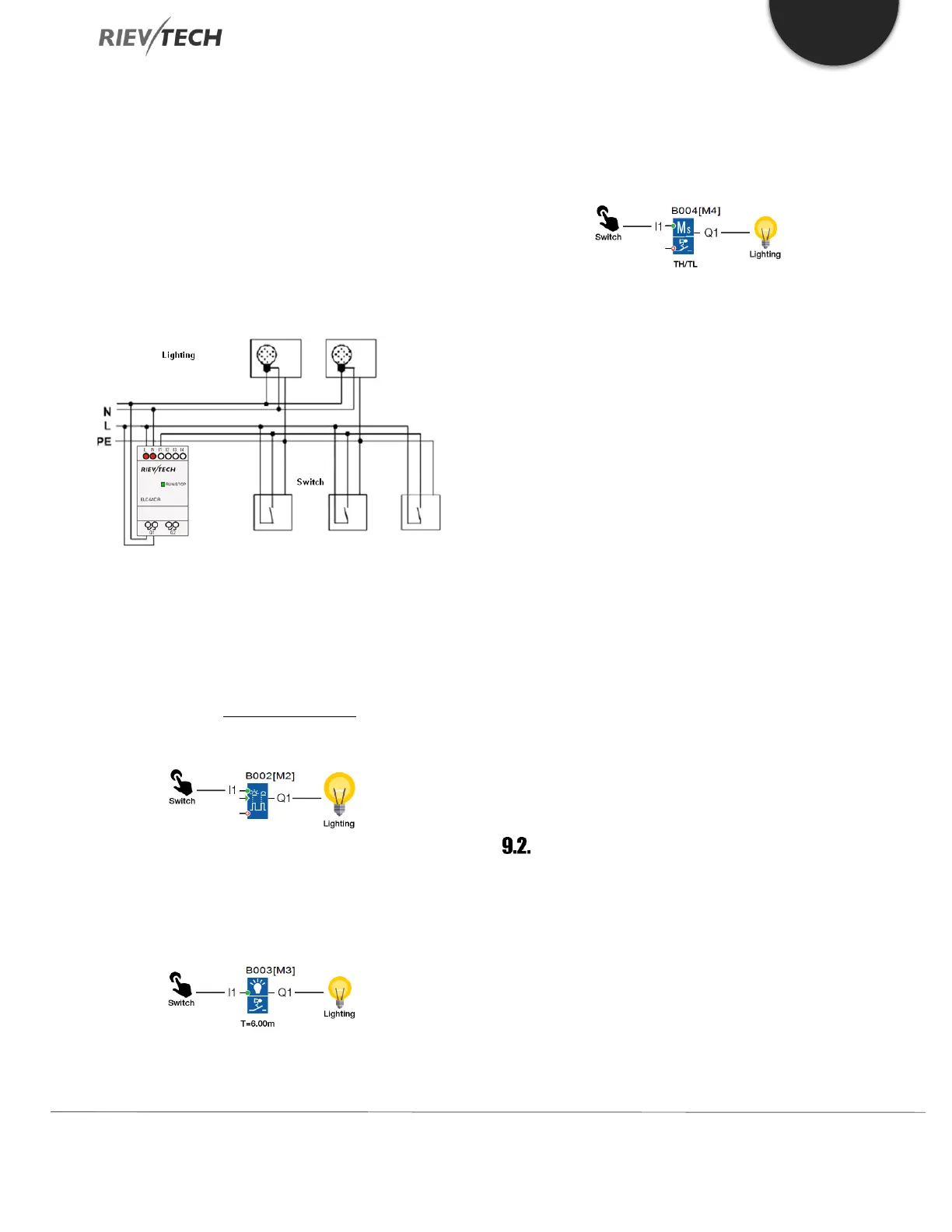
The scheme of xLogic
The wiring of a lighting system with xLogic is the same as
standard corridor or stairway lighting systems. Only the
automatic lighting timer/pulse relay is replaced.
xLogic lets you quickly and easily combine all those
functions in a single dual-function switch SFB, without
additional wiring and expenditure.
When the input “I1” has a pulse, the output “Q1” will be
On.
Automatic stairway lighting system
If input “I1” has a pulse, the output Q1 will turn On for 6
minutes, then turn Off.
Apply xLogic to realize multiple switches
When the input “I1” has a pulse, the output “Q1” will turn
On and when the timer “TH” expires then Q1 will turn Off.
If the momentary switch at I1 is held down for the time
set in “TL” then the light, output Q1 will remain On.
Using Special Functions
The following selection can be done as a special function
for saving energy:
The lighting flickers before it automatically goes off.
You can integrate different central control functions:
Central control Off
Central control On (Emergency button)
Control all lighting or certain single circuitry by lighting
control switch.
To control by an integrated timer.
Automatic Gate
The entrance to many public buildings such as a
supermarket、 public building、 bank、 hospital, etc. an
automatic entrance is often used.
The requirements of the Automatic Gate are:
When someone approaches the entrance, it will
be opened automatically.


 To Next Page
 Loading...


