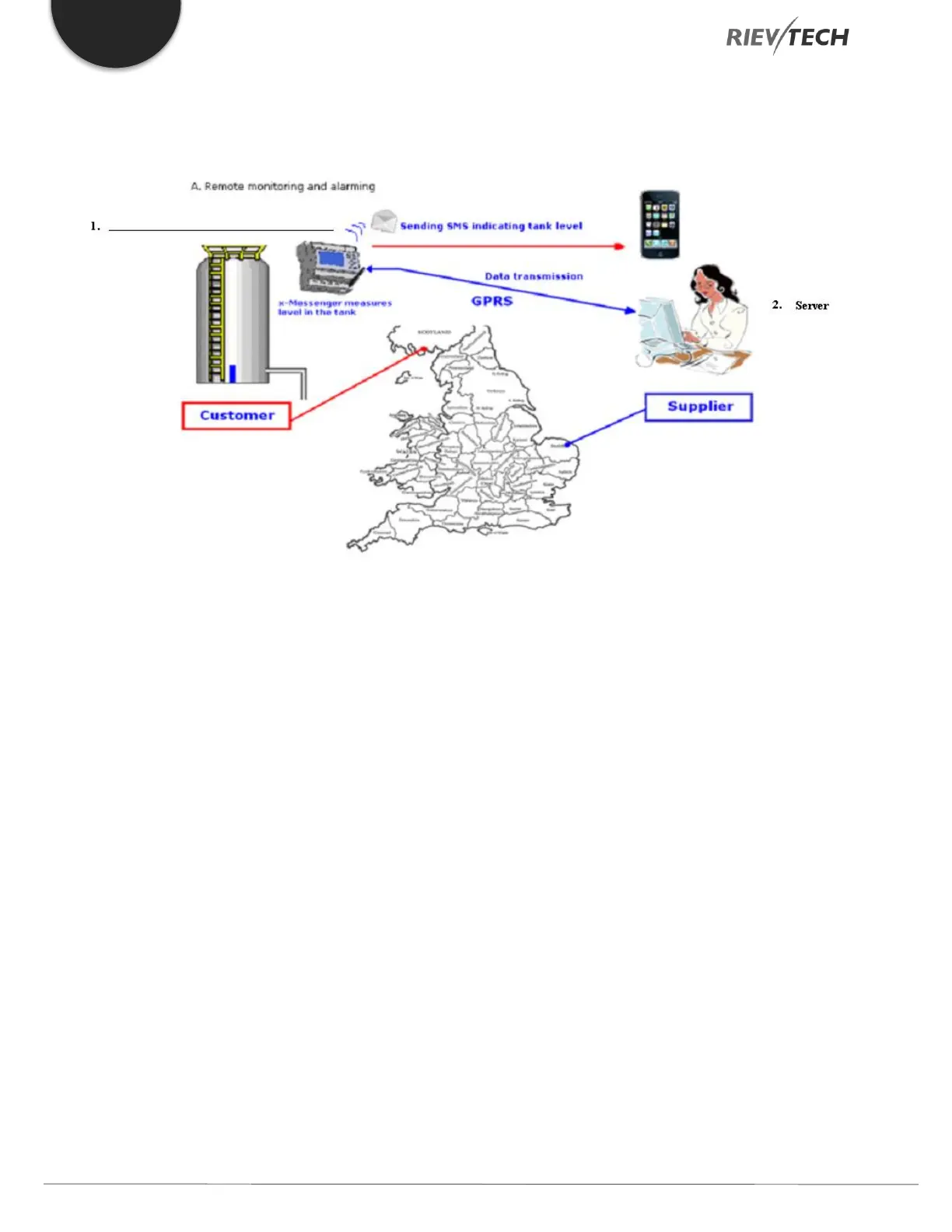
Example of CPU Sending SMS and Central Office Requesting Data via GPR
When EXM CPU is acting as Server with a FIXED IP address and office Client software requesting information such as level,
temperature, digital states, etc.
The client software would use Modbus/TCP commands to access the remote data.
More information on the Modbus/TCP protocol in our Rievtech CPUs including register addresses can be found in our
Modbus TCP communication document.
If you use the Modbus programming blocks in the xLogicsoft in your EXM CPU program, you can get the CPU to send data
to a PC software server, such as analogue and digital information. Use the two GPRS function blocks, GPRS Connect and
GPRS Data Upload in the xLogicsoft software, you can configure the CPU to send data periodically to the server software.
3.7.2. Configuration of E-mail Settings
To configure the EXM CPU to send emails, you need to first configure the GPRS parameters as detailed in previous section
including any APN settings provided by your mobile SIM provider.
When using the email sending features of the EXM CPU there is no need to check the tick box ‘Connect to Ethernet when
power on’ option.
Once you are connected with xLogicsoft to the EXM CPU use the menu option SMS…Set email params. Enter data into the
window shown:
SMTP: - Enter the IP address of the SMTP Server you are using
Port: - Enter the port number of the SMTP Server you are using
User: - Enter the username for SMTP Server email account authentication


 To Next Page
 Loading...


