11. TROUBLESHOOTING
Incorrect stove details
Possible error message in the browser window:
Q Check the plug connection of your module, or the internet connection. If no connection
between the stove and the RIKA server could be established, no identification is possible.
Q Re-enter the identification number and the authentication token. Wrong entries may arise
from auto-generated spaces, incorrect special characters etc.
Connection problems
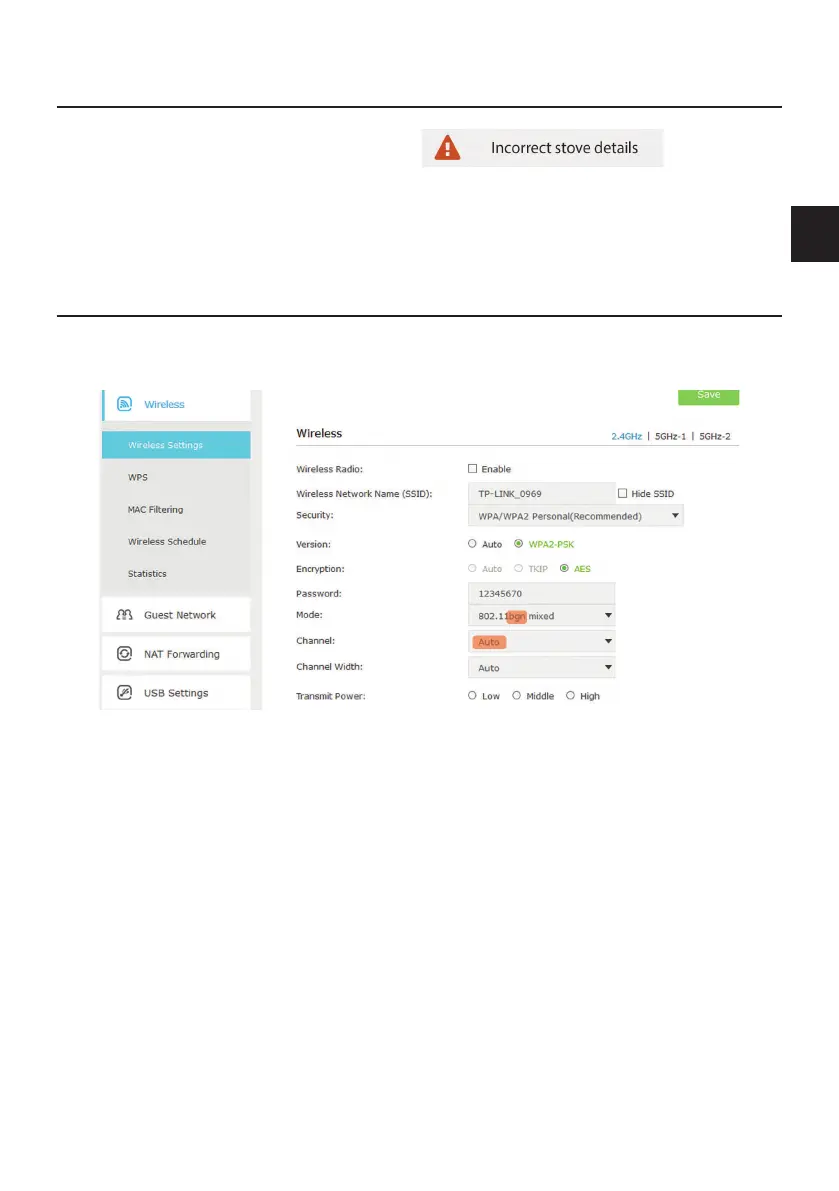
In case of connection problems, check and change your extended WiFi settings. You can find
them on the homepage of your provider or follow the instructions of your router to do so.
Depending on the used terminal and browser the WiFi settings may be displayed differently.
Q The setting „Mode: b g n“ is relevant for the RIKA firenet module.
Q We recommend to set the setting to „Channel: AUTO“. In case of overload and connection
problems it is an advantage to firmly assign an unused channel to ensure a problem-free
communication.
|45
EN
44


 To Next Page
 Loading...