7
First, shut o power at the breaker.
Then, remove your existing
doorbell button from the wall
and disconnect the wires.
Remove
your existing
doorbell.
Use the bracket as a template
to mark the four corner holes.
The recommended install
height is 4 About 1.2 metres
o the ground.
Mark the
screw holes.
Install the
anchors.
(optional)
On stucco, brick, or concrete, use
the provided bit to drill holes in
your wall, then insert the anchors.
(If you’re installing on wood or
siding, you can skip this step.)
Install the
mounting
bracket.
Use the phillips head side of the
Ring screwdriver to screw in the
mounting bracket.
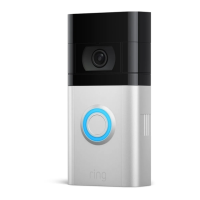
Keep the orange screwdriver handy. You’ll need it to take your
Video Doorbell o the wall for charging.
Please see the included pamphlet for installation precautions.


 To Next Page
 Loading...