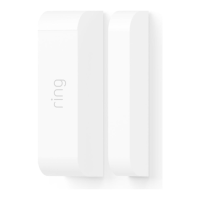
Choosing which Sensors are
armed in each mode
Each Security Mode arms specific groups
of Sensors. By default, Away Mode arms all
Sensors and Home Mode arms only Contact
Sensors used on doors and windows. You
can customise which Sensors are armed in
Home and Away Mode. For example, if you
want to avoid arming a specific door while
in Home Mode, you can adjust this using
Mode Settings.
Understanding Entry &
Exit Delay
Exit Delay gives you a short period of time
to leave your home once you’ve armed
Ring Alarm. You’ll hear a series of chirps
to remind you that there is only a few
seconds to exit your home and close the
door. When your Exit Delay ends, your
Alarm is in Armed Mode. Opening your
door will trigger the Entry Delay to begin
counting down.
Entry Delay gives you a short time to disarm
your Ring Alarm when entering your home.
You’ll hear reminder chirps during the delay,
and when the delay ends, if you don’t disarm,
your Ring Alarm siren will sound.
To use Entry and Exit Delays, set the Contact
Sensor Placement setting to Main Door.
Customise each delay for any time between
0 seconds (no delay) and 180 seconds
(3 minutes). Just make sure you have enough
time to arm and disarm your Alarm.
20


 To Next Page
 Loading...