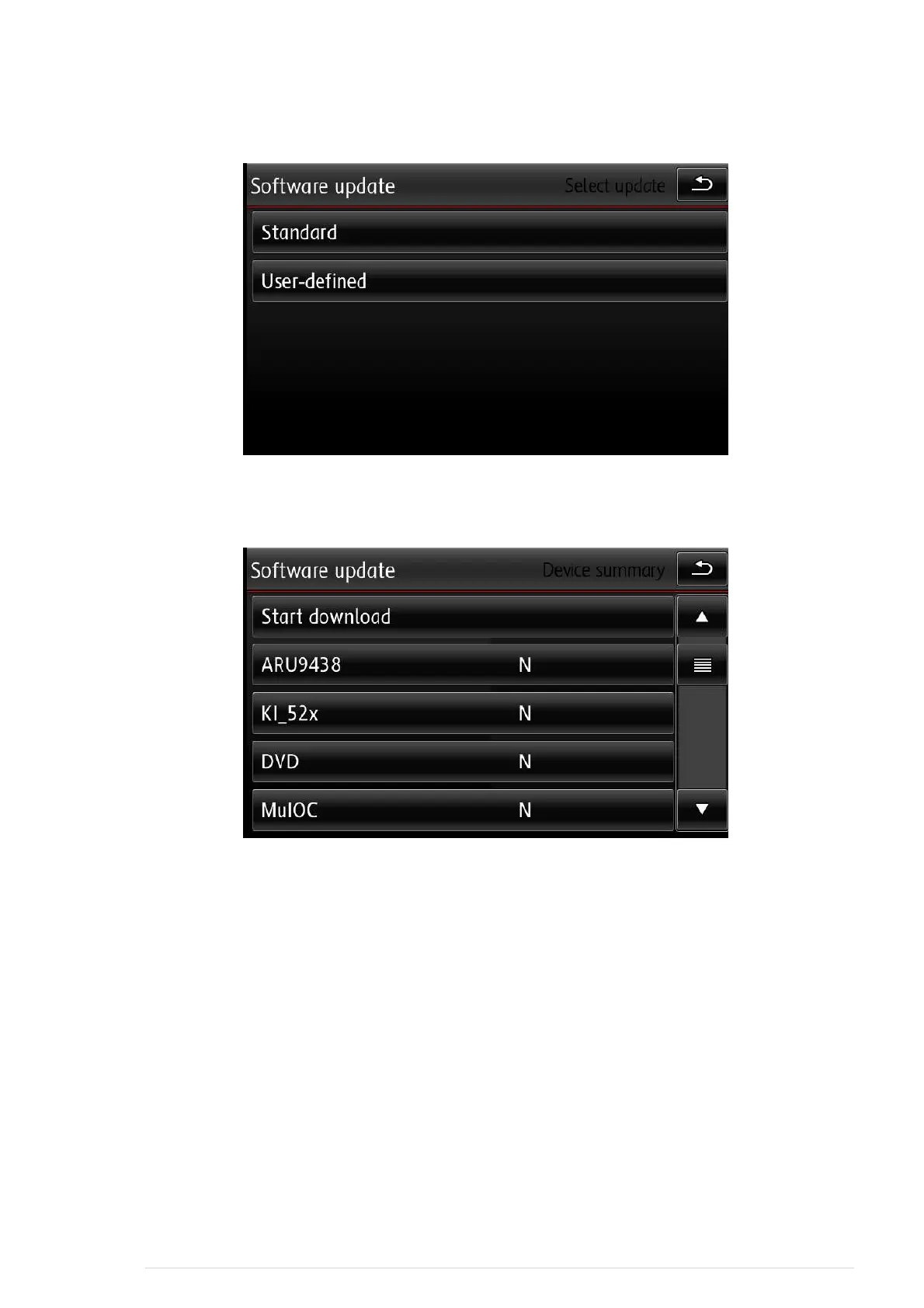
Select user defined
Now You will see along list with different components.
Select the first item having an "N"
Don't pay attention to N/A (not available)
You will see "Bootloader" and "application"
Select "application"
go back
After that the item will have a "Y"
Repeat this procedure for each item having an "N" on the right side.
Afterwards You can start the update process by pressing the download button on top of the
SW-actualization menu.
Wait....
Warning: In an case make sure that ignition is always on and the battery is not
drained (engine running or charger)
8 | P a g e


 To Next Page
 Loading...