HOWTO: Cable and TV Reception
116
© 2015 by Roadtrek, Inc.
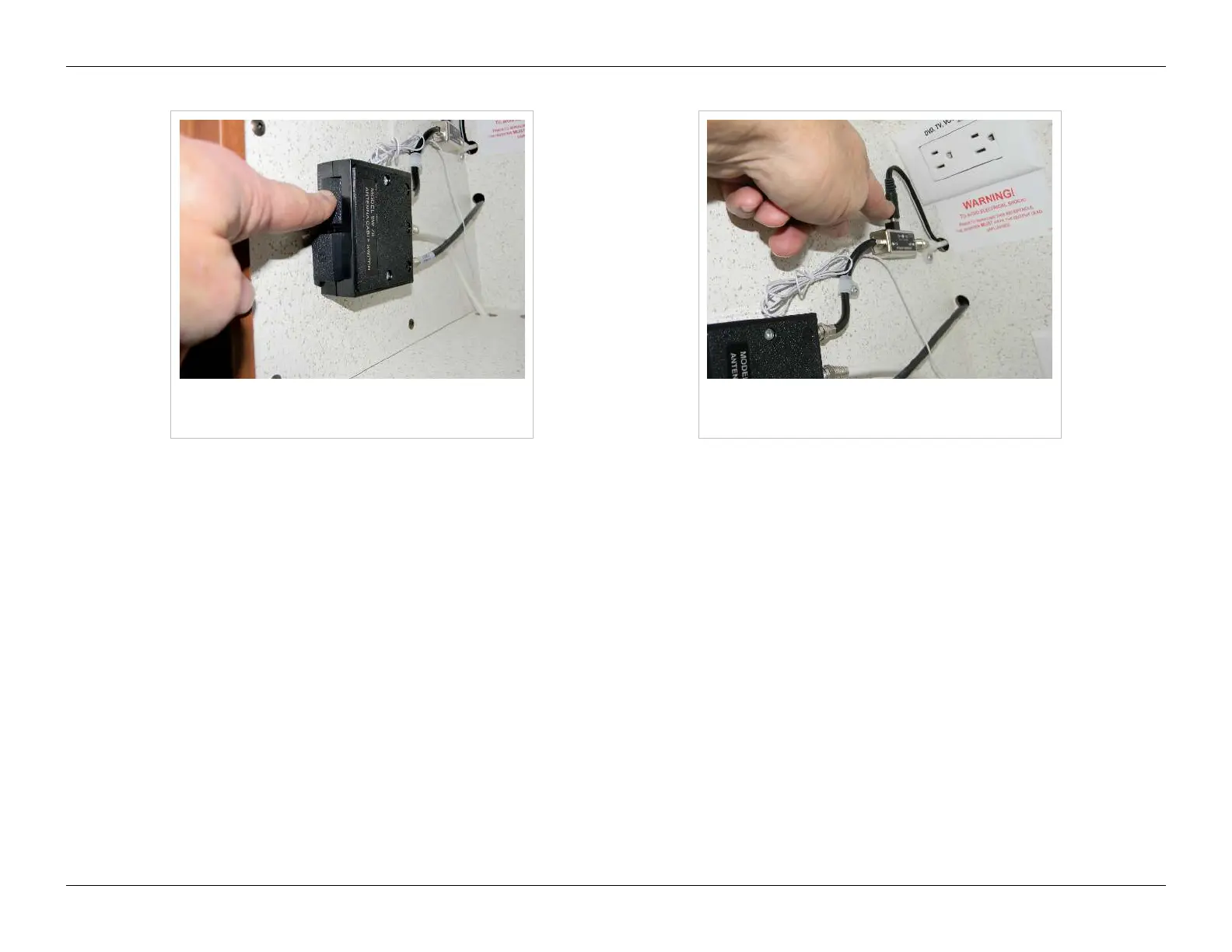
Antenna/cable AB switch set for antenna
(top button)
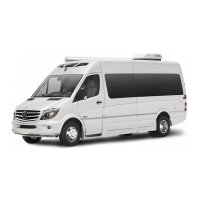
Antenna booster/power injector
connection
To watch TV using the Roadtrek rooftop antenna:
•• Have 120 volt AC power available (inverter on OR shore power plugged in OR generator running)
•• Turn on TV and home theatre system
•• Make sure the power injector is on (the barrel connector is plugged into the top of the injector)
•• Set the speaker selector to "SURROUND"
•• Set the antenna/cable TV switch to Antenna by pressing the top button on the AB switch
DVD
To watch a DVD:
•• Have 120 volt AC power available (inverter on OR shore power plugged in OR generator running)
•• Turn on TV and home theatre system
•• Set the speaker selector to "SURROUND"
•• Use the DVD remote control to start the movie



 To Next Page