TM-X VESA Mount (item no. 540267)
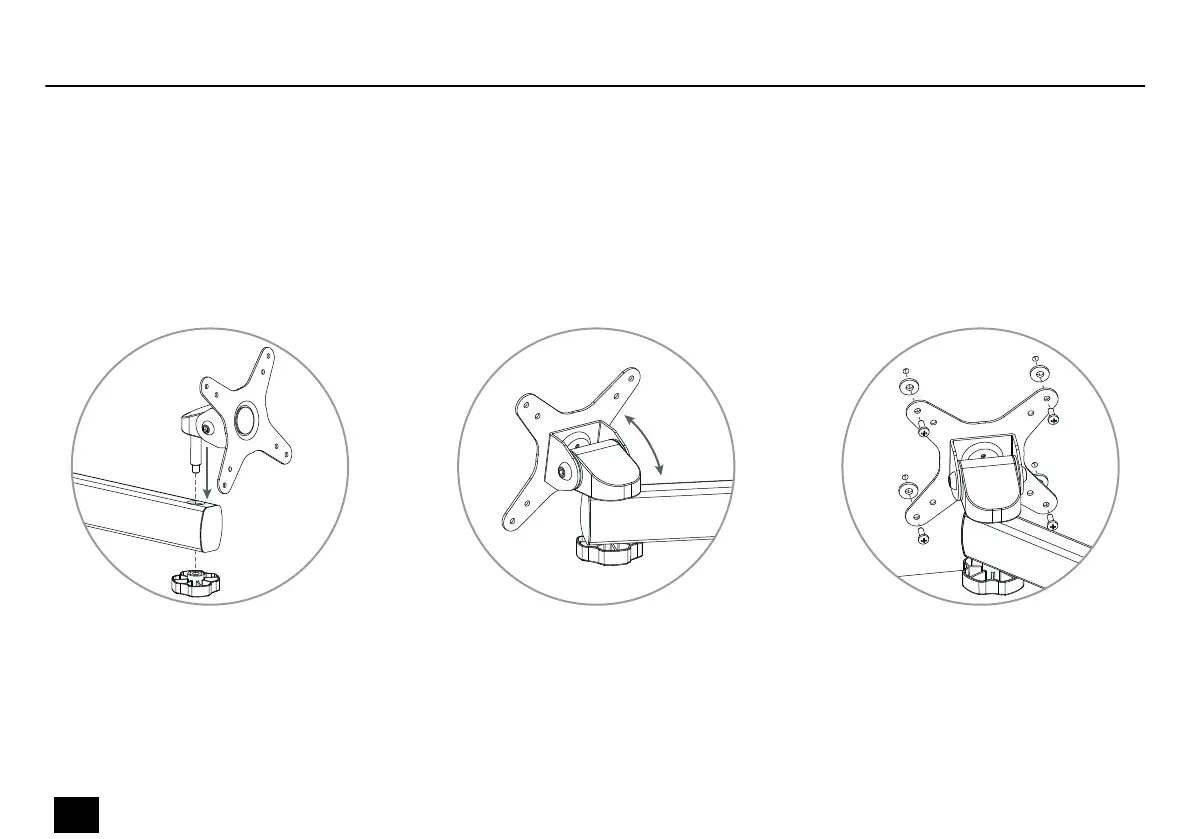
Loosen the locking screw and place the monitor holder in the recess of the TM-X Arm (item no. 540250, 540252, 540254). Tighten
the locking screw.
For adjusting the monitor holder tilt, loosen the Allen screws using an Allen key. Adjust the desired tilt and tighten the Allen screws
using an Allen key.
Mount the monitor with four screws and washers to the monitor holder.
Installation
14
TM-X
Desktop Stand


 To Next Page