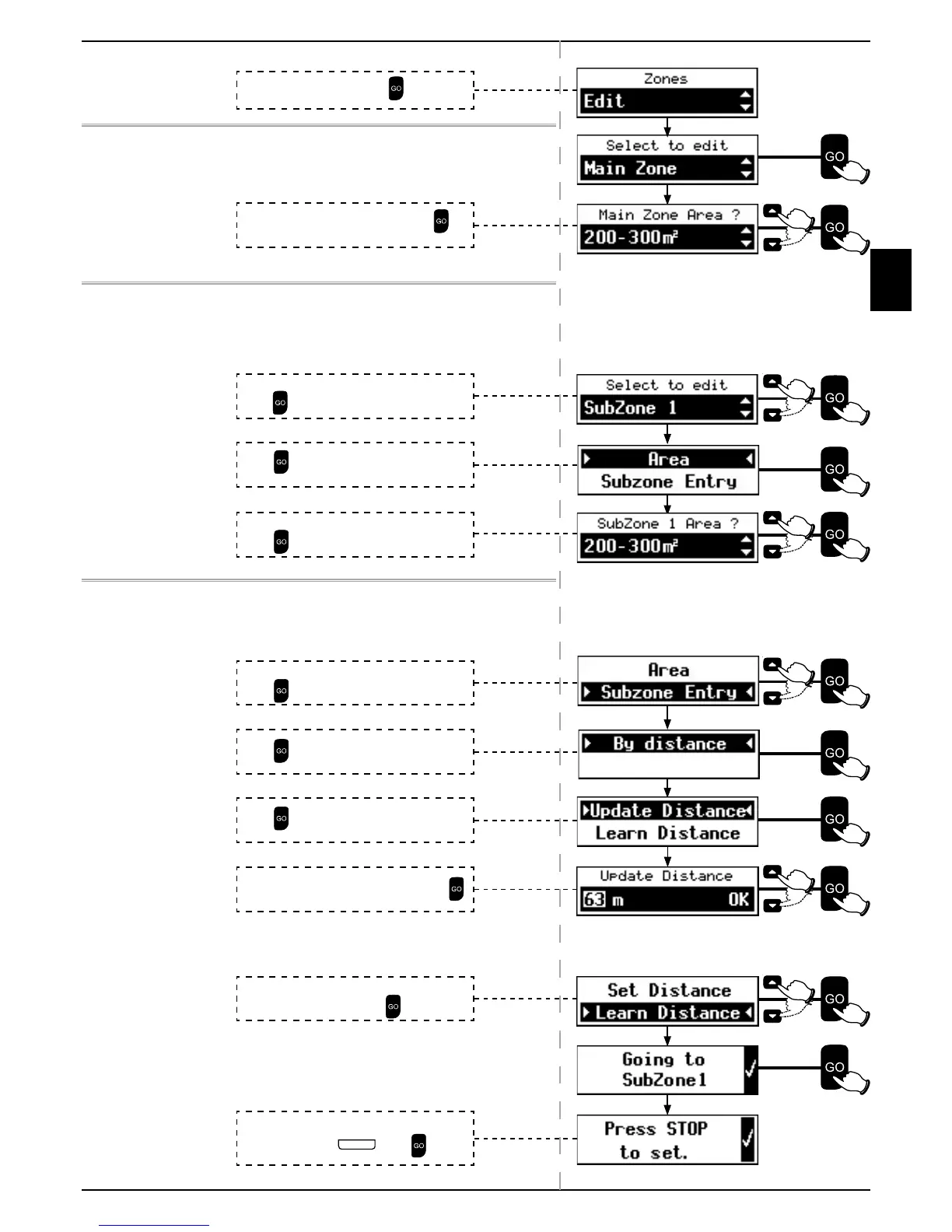
4.3.3.3 Edit
To edit the Main Zone:
Only the Area of the Main Zone can be changed.
To edit a Sub-Zone:
The Area and the Sub-Zone Entry can be changed.
To change the Area of a Sub-Zone:
Sub-Zone Entry
There are two methods to change the Sub-Zone Entry, using
Update Distance or Learn Distance.
Update Distance:
Learn Distance:
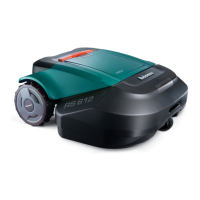
Robomow will follow the Perimeter Wire.
Scroll to select the Sub-Zone you want to edit.
Press
.
Scroll to enter the Updated Distance. Press
.
Scroll to select the Edit. Press
.
Scroll to select the new area size. Press
to
update area.
Press
to select Area.
Scroll to select the new area size.
Press
to update Area.
Scroll to select Sub-Zone Entry.
Press
.
Press
to select By Distance.
Press
to Update Distance.
Place Robomow in the Base Station. Scroll to
select Learn Distance Press
.
When Robomow passes the zone entry by about
5 m (16 ft.) – Press
S T O P
. Press to exit.



 To Next Page