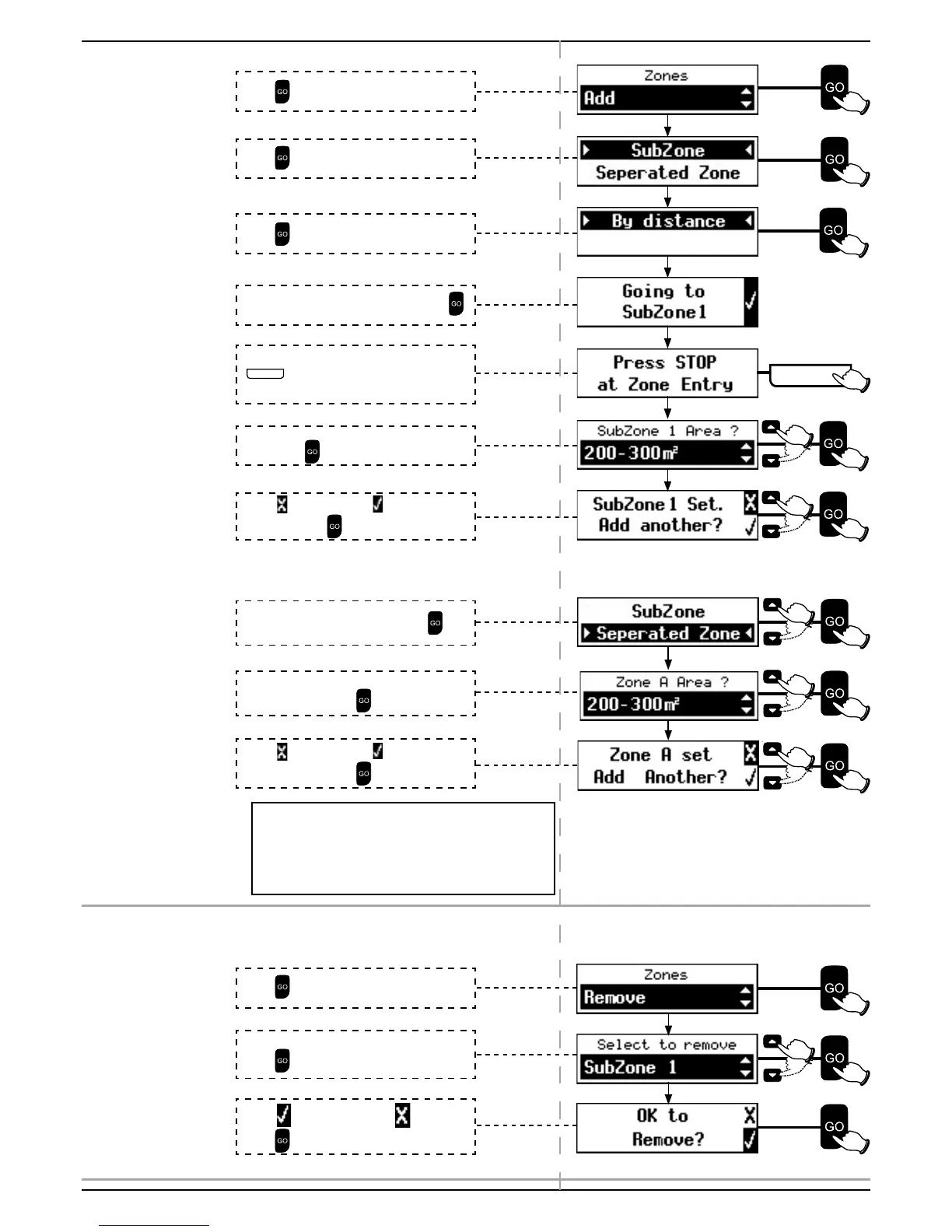
4.3.3.1 Add
If you are adding a Sub-Zone:
Sub-Zone 1 Set. Add another?
If you are adding a Separated Zone:
If the selected area is too big for a single operation,
Base Station Recommended will be displayed.
An additional Base Station (optional accessory) will
allow multiple operations in larger separated zones.
4.3.3.2 Remove
Press to select Sub-Zone
Press
to add Zone(s)
Press
to Remove Zone(s)
Scroll to select the zone to be removed.
Press
.
Select
to remove or scroll to to exit.
Press .
Press
to select By Distance.
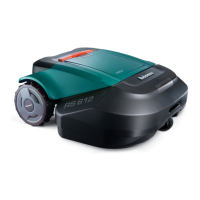
Place Robomow in the Base Station. Press
.
Scroll to select the Area of the added Sub-
Zone. Press
.
Robomow will follow the Perimeter Wire. Press
S T O P
at Zone Entry when the mower is at
least 5 m (16 ft.) inside the added Sub-Zone.
Select
to exit or scroll to to add another
Sub-Zone. Press
.
Scroll to select Separated Zone. Press
.
Scroll to select the Area of the added
Separated Zone. Press
.
Select
to exit or scroll to to add another
Separated Zone. Press
.



 To Next Page