3
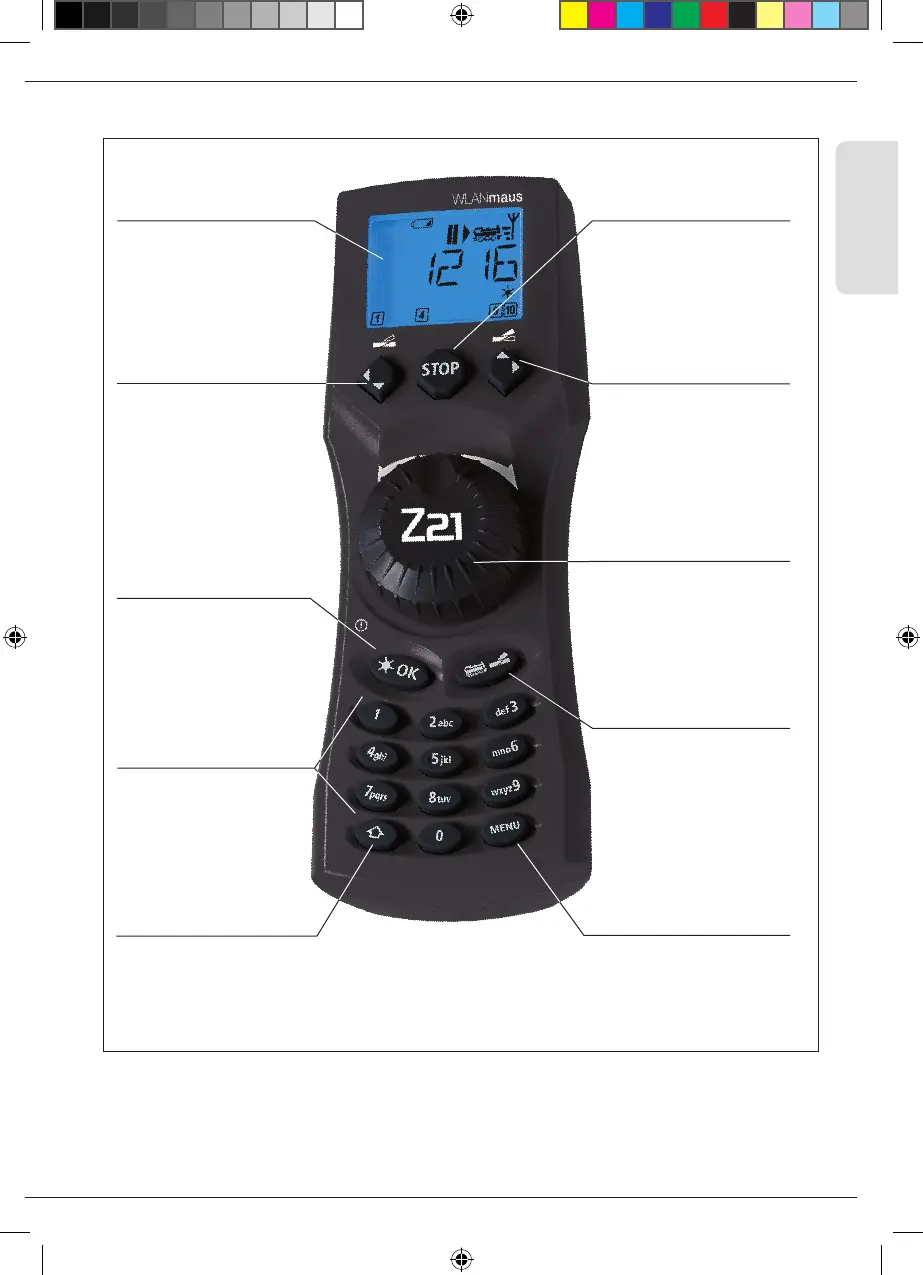
WLANmaus Kurzübersicht / Overview / en un clin d'oeil
Kurzübersicht / Overview / en un clin d'oeil
Beachten Sie die Erläuterungen zum Display und zu den Tastenbelegungen ab Seite 7.
Please refer the explanations about the display and the key assignment from page 40.
Quant aux informations concernant l’ écran et les différentes fonctions des touches voir page 72.
Fahrregler
control knob
bouton régulateur
Funktionstasten
Function Keys
touches »fonctions«
Stop-Taste
Stop Key
touche »Stop«
LC-Display
LC display
Écran
Pfeiltaste (links)
Arrow Key (left)
touche »flèche«
(à gauche)
Lok / Weichen-Taste
Loco / Turnout Key
touche »Locomotive /
aiguillages«
Menü-Taste
Menu Key
touche »Menu«
Shift-Taste
Shift Key
touche »majuscules«
Pfeiltaste (rechts)
Arrow key (right)
touche »flèche« (à
droite)
Licht / OK-Taste
Light / OK Key
touche »feux / OK«
8010813920.indd 3 13.07.2017 10:27:34



 To Next Page