68
68
The rmware update was unsuccessful or
was stopped: it is not possible to connect
the WLANmaus to the router.
▪
While the WLANmaus is switched off, press the left ar-
row key, the “6“ key and the “7“ key at the same time
and keep them pressed down and then conrm this with
the OK-key, in order to restart the original WLAN-
maus rmware. After the restart has taken place, the
ticker text “RESCUE FIRMWARE“ appears in the display..
▪
Switch the WLANmaus off again, press and hold the
STOP-key, the “7“ key and the “9“ key at the same
time and then conrm this with the OK-key, you
thereby switching it back on again so that the origi-
nal radio module rmware can be restarted. After the
restart has taken place, the ver-sion number of the
rescue rmare appears in the display for one second
after the initial ticker text “WLANMAUS“
▪
After the restart has been carried out, your WLAN-
maus should again be in the delivery condition as far
as the software is concerned and it should then be
able to connect it with the router.
4.3.1 Programming Help for Lokmaus 2 / R3 –
WLAN
maus
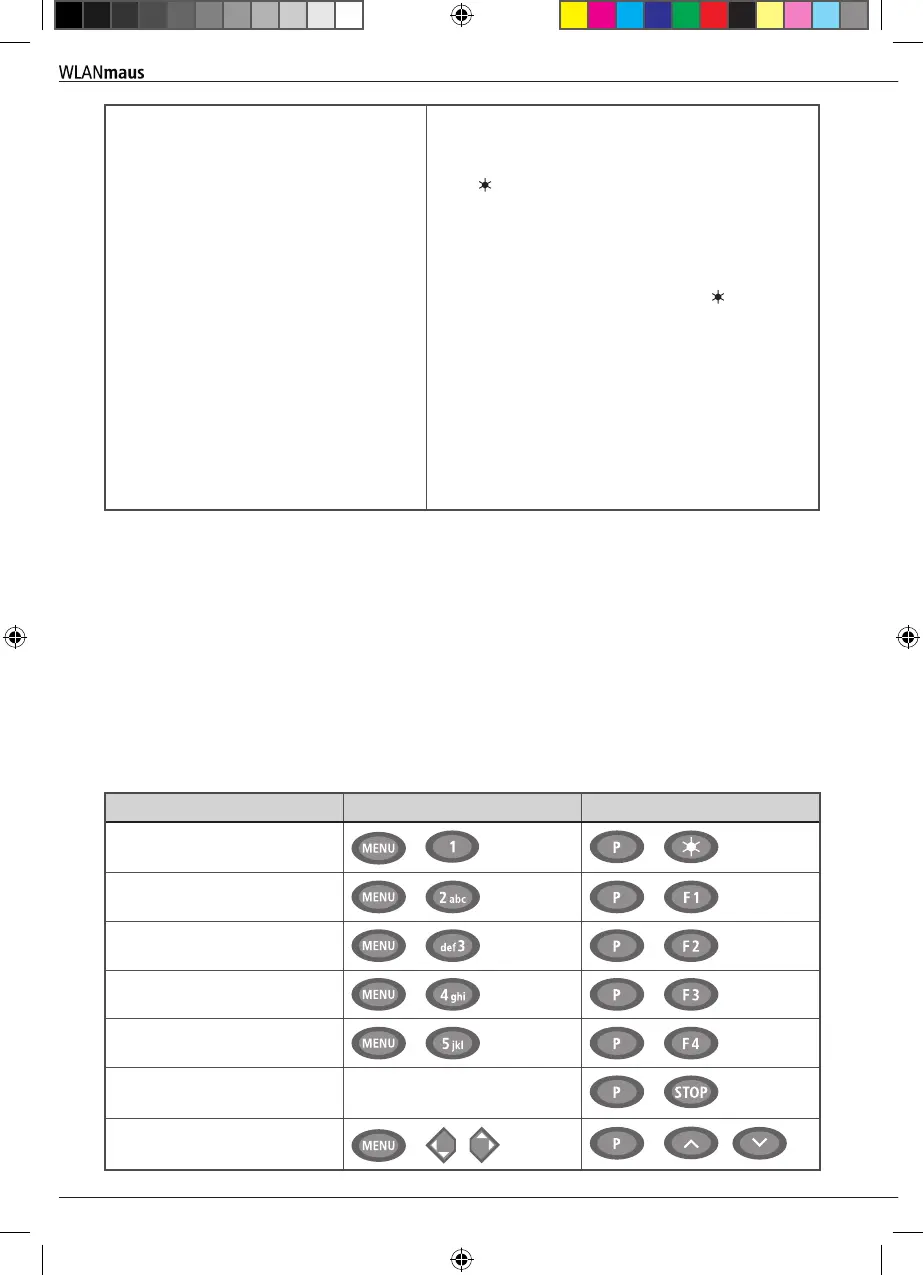
Previous operating manuals for digital ROCO articles (e.g. 42624 turnout drive) only describe the standard
programming mode for Lokmaus 2 /R3. The following includes a table which compares the programming
procedure for the Lokmaus 2 /R3 and quick programming (see chapter 2.6 on page 52) on the
WLANmaus
.
For more information see the operating manual for the Lokmaus 2 /R3. To program CV29 see the operating
instructions included with the decoder.
CV
WLAN
maus
Lokmaus 2/R3 (for comparison)
1 – Adress
+
+
2 – Minimum speed
+
+
3 – Start-up delay
+
+
4 – Braking delay
+
+
5 – Maximum speed
+
+
29 – Decoder settings Can only be programmed in
menu mode (see page 61)
+
Change speed steps
+
/
+
/
Appendix
8010813920.indd 68 13.07.2017 10:27:50


 To Next Page
 Loading...
