EasyManua.ls Logo

Rocstor ROCPRO D90 - User Manual

Rocstor ROCPRO D90
2 pages
Print Icon
To Next Page IconTo Next Page
Loading...
ROCPRO D90
USB Type-C® (USB 3.1 Gen 2) 10GB/s | USB3.0
Quick Installation Guide
General Notices
Capacity Disclaimer
Warranty Period
• Consistently make multiple backup copies of your data for your protection. Hard disk drives are
subject to failure at any time.
Rocstorage, Inc. shall not be held liable for loss of data or the restoration or recovery of data on the
device.
Please see complete limited Warranty Information in the User’s Manual or on the Rocstor website
(www.rocstor.com) for further details.
Actual accessible hard drive capacity will indicate up to 10% lower than stated under dierent
Operating Systems and formatting. Therefore, a 500GB capacity drive may show up as a 450GB drive
(approximately.
)
The Limited warranty period for Rocpro hard drives is three years for parts and labor.
Technical Support / RMA
Trademarks Acknowledgements
support@rocstor.com
Tel: (855) 727-7000 (USA and Canada)
Tel: +1 (818) 727-7000 (Domestic and International)
Fax: +1 (818) 875-0002
Hours: 9:00 am - 5:00 pm PST, Mon - Fri (excluding holidays)
Email:
© 2021, Rocstorage,Inc. Rocstor acknowledges the following trademarks for company names or products mentioned within Rocstor®
manual, site,portal pages, articles, and texts. Rocstor and Rocsecure are registered trademarks of Rocstorage Inc. ”Store your future and
“Secure your future are slogan marks of Rocstorage,Inc. Apple®, the apple logo, Mac®, Mac Pro®, Power Mac®, Firewire®, Mac®OS are
registered trademarks of Apple, Inc.Microsoft®, MS-DOS, Windows® are registered trademarks of Microsoft. USB Type-C® and USB-C® are
trademarks of USB Implementers Forum.All other names are trademarks of their respective companies in the United State and other
countries.
© 2000- 2022.
Designed/assembled/integrated in the U.S.A.
using domestic and/or foreign components.
Enclosure only is made in China
Specications, terms, warranties, descriptions, product and services herein are subject to change without notice.
ROCSTOR ROCPRO D90
quick installation
Question and Answer IconNeed help?

Do you have a question about the Rocstor ROCPRO D90 and is the answer not in the manual?

Overview

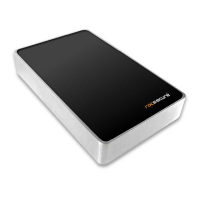
The Rocstor Rocpro D90 is an external hard drive enclosure designed for high-speed data storage and transfer. It supports USB Type-C (USB 3.1 Gen 2) with a transfer rate of 10GB/s, and is also backward compatible with USB 3.0. This device is intended for users who require reliable and fast external storage for their data, offering a plug-and-play experience for both macOS and Windows operating systems.

Function Description:

The primary function of the Rocpro D90 is to provide external storage for data. It acts as an enclosure for a hard drive, connecting to a host computer via a USB Type-C interface. This allows users to store, access, and transfer large files quickly. It is preformatted for immediate use, appearing as a drive icon on the desktop for macOS or in "My Computer" for Windows. The device is designed for easy setup and operation, supporting both USB Type-C to USB Type-C and USB Type-C to USB Type-A connections, catering to a wide range of computer ports. Proper ejection of the drive before disconnecting or powering off is emphasized to prevent data loss or damage.


Important Technical Specifications:

  • Interface: USB Type-C (USB 3.1 Gen 2)
  • Transfer Rate: 10GB/s (also compatible with USB 3.0)
  • Compatibility:
    • macOS 10.12+ (Time Machine compatible)
    • Windows® 7, 8, 10, 11 (requires reformat)
    • Compatible with Thunderbolt™ 3 & 4
  • Power Input: DC in 12V (via external power adapter)
  • Warranty Period: Three years for parts and labor.
  • Capacity Disclaimer: Actual accessible hard drive capacity may be up to 10% lower than stated due to operating system and formatting overhead. For example, a 500GB drive may show as approximately 450GB.
  • Manufacturing: Designed/assembled/integrated in the U.S.A. using domestic and/or foreign components. The enclosure itself is made in China.

Usage Features:

  • Plug-and-Play Operation: The hard drive comes preformatted, allowing for immediate use upon connection.
  • Broad OS Compatibility: Supports modern macOS versions with Time Machine compatibility and various Windows versions (with reformatting for Windows).
  • Flexible Connectivity: Includes both USB-C to USB-C and USB-C to USB Type-A cables to ensure compatibility with computers having either port type.
  • High-Speed Data Transfer: Leveraging USB 3.1 Gen 2, it offers fast data transfer rates of up to 10GB/s, ideal for large files and demanding applications.
  • Power Management: Features a power switch for easy control and requires an external power adapter for operation. It is recommended to connect the power cord directly to a wall outlet, surge protector, or battery backup (UPS).
  • Optimal Performance Note: For best performance, it is recommended to connect the Rocpro D90 to a USB-C host port. Connecting to USB 3.0 or USB 2.0 ports will reduce transfer rates accordingly.
  • Easy Access: Once connected and powered on, the drive icon appears on the desktop (Mac) or in "My Computer" (Windows), allowing users to easily access its contents.
  • User Manual Availability: A full version of the Rocpro D90 manual is available for download on the Rocstor website for more detailed instructions.

Maintenance Features:

  • Data Backup Recommendation: Users are strongly advised to consistently make multiple backup copies of their data, as hard disk drives are susceptible to failure. Rocstorage, Inc. is not liable for data loss or recovery.
  • Proper Ejection Procedure: It is crucial to properly eject the external hard drive from the computer before powering it off or disconnecting it. Failure to do so can lead to data loss or damage to the drive.
  • Technical Support: Rocstor provides technical support via phone and email during business hours (9:00 am - 5:00 pm PST, Mon - Fri, excluding holidays) for assistance with any issues.
  • Warranty: The three-year warranty covers parts and labor, providing assurance for potential hardware defects.
  • Firmware/Software Updates: While not explicitly detailed as a user-maintenance feature, the availability of a full manual on the website suggests that any necessary updates or troubleshooting guides would be accessible there.
  • General Notices: The manual includes general notices about data backup and the company's liability, emphasizing user responsibility for data integrity.

Rocstor ROCPRO D90 Specifications

General IconGeneral
BrandRocstor
ModelROCPRO D90
CategoryStorage
LanguageEnglish

Related product manuals