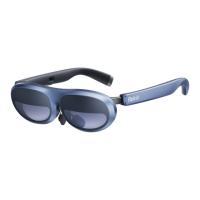
1. Important Safety Warning
Never wear the headset in situations that require
attention, such as running, jumping or bicycling.
Immediately discontinue using the headset if any of
the following symptoms are experienced:
seizures; loss of awareness; eye strain; eye or muscle
twitching; involuntary movements; altered, blurred, or
double vision or other visual abnormalities; dizziness;
disorientation; impaired balance; impaired hand-eye
coordination; excessive sweating; increased salivation;
nausea; lightheadedness; discomfort or pain in the
head or eyes; drowsiness; fatigue; or any symptoms
similar to motion sickness.
Do not drive, operate machinery, or engage in other
visually or physically demanding activities that have
potentially serious consequences (i.e., activities in
which experiencing any symptoms could lead to death,
personal injury, or damage to property), or other
activities that require unimpaired balance and
hand-eye coordination (such as playing sports or
riding a bicycle, etc.) until you have fully recovered
from any symptoms. See a doctor if you have serious
and/or persistent symptoms.
If any part of your body becomes tired or sore while
using the headset or its components, or if you feel
symptoms such as tingling, numbness, burning or
stiffness, stop and rest for several hours before using it
again. If you continue to have any of the above
symptoms or other discomfort during or after use, stop
use and see a doctor.
2. Safe Use Environment
The headset produces an immersive virtual reality
experience that distracts you from and completely
blocks your view of your actual surroundings. Always
be aware of your surroundings before beginning use
and while using the headset. Use caution to avoid
injury.
Serious injuries can occur from tripping, running into or
striking walls, furniture or other objects, so clear an
area for safe use before using the headset.
Take special care to ensure that you are not near other
people, objects, stairs, balconies, open doorways,
windows, furniture, open flames, ceiling fans or light
fixtures or other items that you can bump into or knock
down when using or immediately after using the
headset.
3. Health and Hygiene Caution
Prolonged use should be avoided, as this could
negatively impact hand-eye coordination, balance,
and multi-tasking ability.
To reduce the risk of discomfort, adjust the
inter-pupillary distance (IPD) for each user before use
of the headset.
Take at least a 10 to 15 minute break every 30
minutes, even if you don’t think you need it. Each
person is different, so take more frequent and longer
breaks if you feel discomfort. You should decide what
works best for you.
A comfortable virtual reality experience requires an
unimpaired sense of motion and balance. Do not use
the headset when you are: tired; need sleep; under
the influence of alcohol or drugs; hung-over; have
digestive problems; under emotional stress or
anxiety; or when suffering from cold, flu, headaches,
migraines, or earaches, as this can increase your
susceptibility to adverse symptoms.
We recommend seeing a doctor before using the
headset if you are pregnant, elderly, have
pre-existing binocular vision abnormalities or
psychiatric disorders, or suffer from a heart condition
or other serious medical condition.
The headset is worn next to your skin and scalp. Stop
using the headset if you notice swelling, itchiness,
skin irritation or other skin reactions. If symptoms
persist, contact a doctor.
To avoid transferring contagious conditions (like pink
eye), do not share the headset with persons with
contagious conditions, infections or diseases,
particularly of the eyes, skin or scalp. The headset
should be cleaned between each use with
skin-friendly non-alcoholic antibacterial wipes and
with a dry microfiber cloth for the lenses.
4. User Group
This product should not be used by children under
the age of 13.
Adults should make sure children (age 13 and older)
use the headset in accordance with health and safety
warnings including making sure the headset is used
as described in the user guide.
Adults should monitor children (age 13 and older)
who are using or have used the headset for any of
the symptoms described in these health and safety
warnings (including those described under the
Discomfort and Repetitive Stress Injury sections), and
should limit the time children spend using the headset
and ensure they take breaks during use.
VR device is not suggested for old people;
VR device is not suggested for sick people, except for the
usage with special medical guidance;
VR device is not suggested for people with dioptric lower
than (0.5).
5. Interference with Medical Devices
The Headset, Sensor, and Remote contain magnets or
components that emit radio waves, which could affect the
operation of nearby electronics, including cardiac
pacemakers, hearing aids and defibrillators. If you have a
pacemaker or other implanted medical device, do not use
the headset without first consulting your doctor or the
manufacturer of your medical device. Maintain a safe
distance between the headset and your medical devices,
and stop using the headset if you observe a persistent
interference with your medical device.
6. Operation and Maintenance
Review the hardware and software recommendations for
use of the headset. Risk of discomfort may increase if
recommended hardware and software are not used.
The manufacturer shall specify the display technology
and specific external display models for users. The
manufacturer shall clearly specify all the operation
menus and controls that user need to adjust to achieve
best performance. The manufacturer shall guide user to
wear the HMD in a comfortable way and how to clean the
HMD.


 To Next Page
 Loading...