103
Adjust keyboard sounds
To control whether your keyboard makes sounds:
• Go to Settings > System > Language & input > Virtual keyboard.
• Touch Gboard > Preferences.
• To hear sounds when you type, turn Sound on keypress on
.
• To adjust how loud the sounds are, touch Volume on keypress.
Adjust keyboard vibration
The onscreen keyboard vibrates when you touch a key.
Turn off vibration feedback if you prefer not to use it or
want to improve battery life.
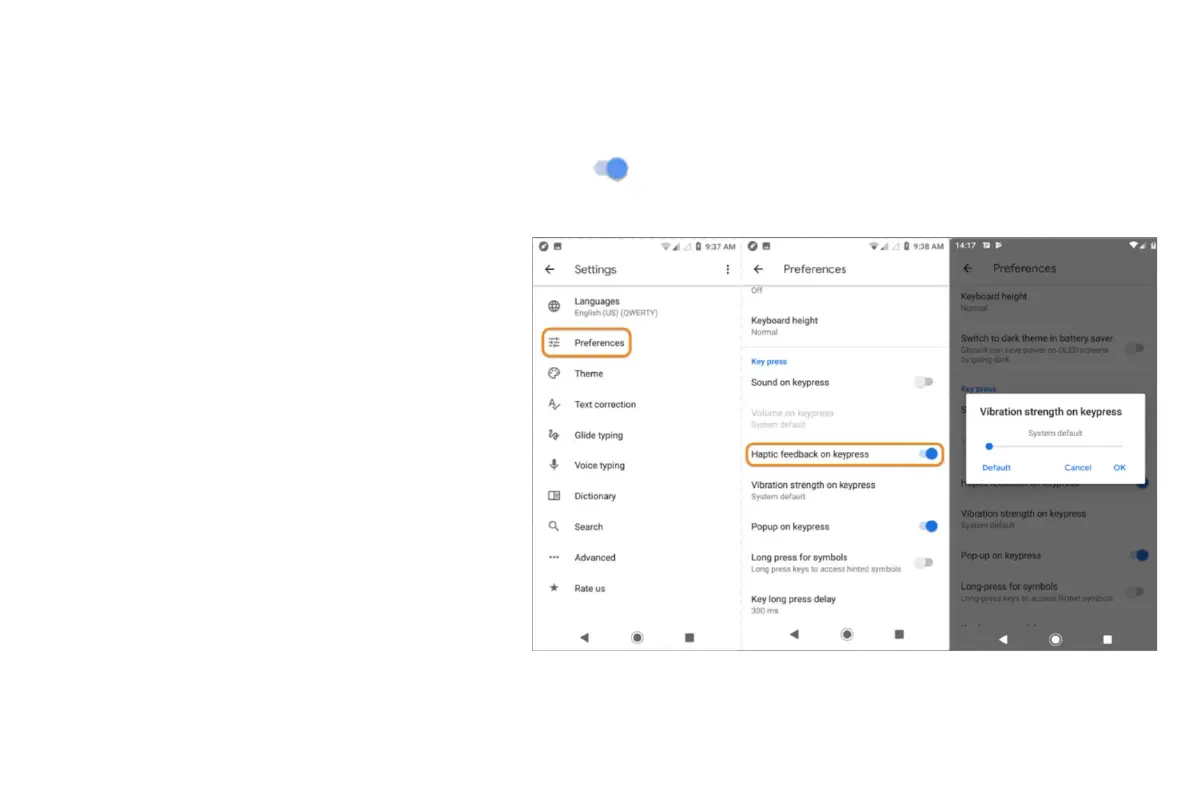
To adjust keyboard vibrations:
• Go to Settings > System > Language &
input > Virtual keyboard.
• Touch Gboard > Preferences.
Do any of the following:
• Turn Haptic feedback on keypress off or on.
• If on, touch Vibration strength on keypress and
move the slider.
• Use multiple languages


 To Next Page
 Loading...