106
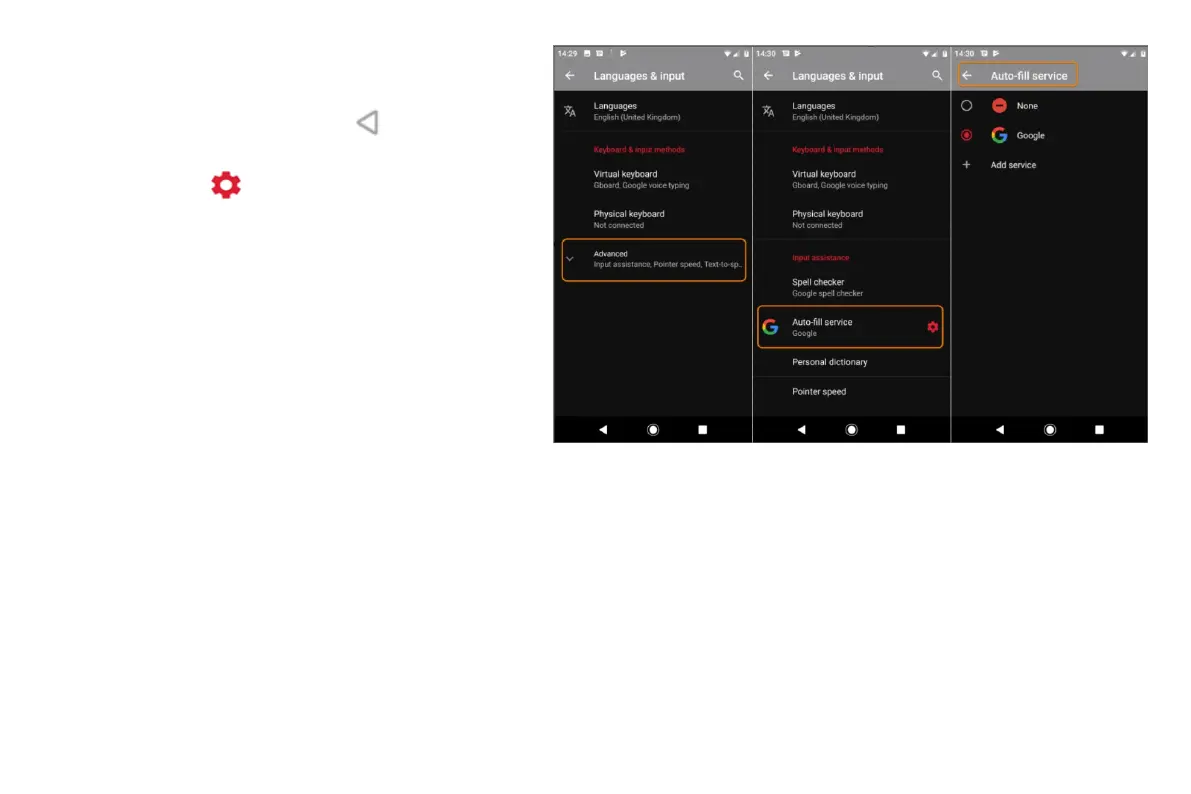
• Go to Settings > System > Language & input.
• Touch Advanced > Auto-fill service.
• Select Google, then touch .
• Touch
> CONTINUE.
• Touch categories to review and edit personal
information, addresses, credit cards and
passwords.
Resetting your device
What a reset does
Resetting your phone erases all data and restores it to
out-of-the-box condition. This data will be erased from the phone:
• Google account
• Media (music, photos, videos)
• System settings and data
• App settings and data (including text messages)
• Downloaded apps



 To Next Page