37
• Touch & hold the widget until it's highlighted.
• Release it to see an outline.
• Drag a corner or side to resize.
Home screen shortcuts
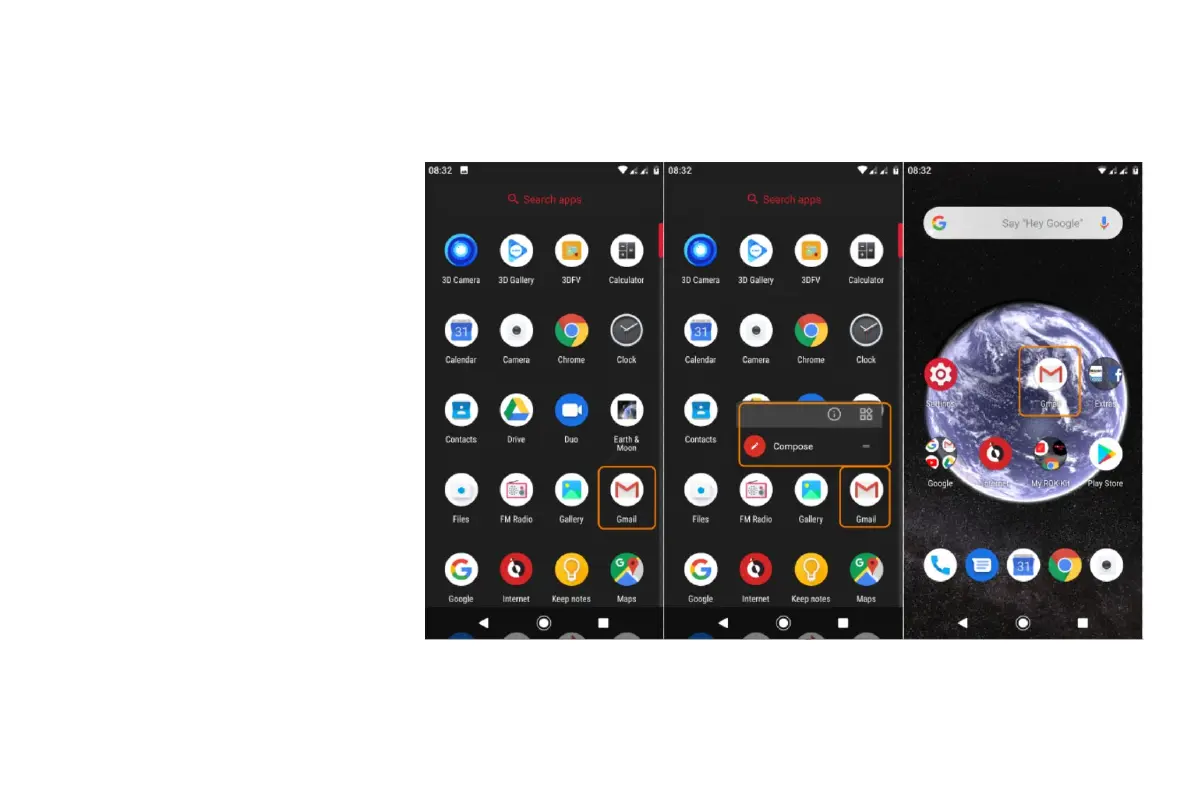
Add app shortcuts
Swipe up from the bottom of the home
screen to open your app list.
• Touch & hold the app you want.
• Drag the app or one of its actions
to an empty spot on your home
screen. Or, drag it to the edge of
the screen and drop it onto a
new home screen panel.
Add task shortcuts
Many apps icons include shortcuts to
common tasks, so you don’t have to open
and navigate the app.
Touch & hold an app icon to see available
task shortcuts.



 To Next Page