45
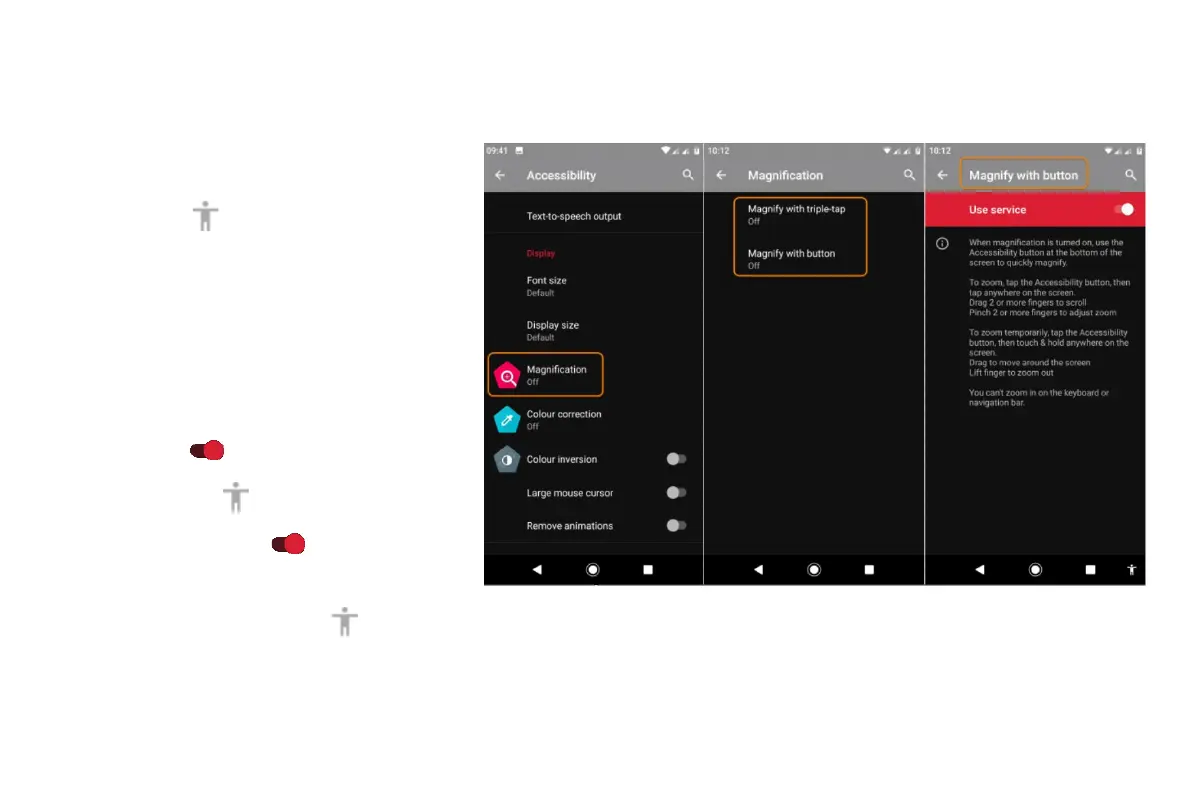
Use magnification gestures and icon
You can magnify the screen by triple tapping it or
by touching
by the navigation buttons. To
enable these gestures and add the icon:
• Go to Settings > Accessibility >
Magnification.
• Adjust settings as needed:
• To use gestures to zoom in and out,
touch Magnify with triple-tap and turn it
on
.
• To add
, touch Magnify with button
and turn it on
.
Then, use these gestures:
• To zoom in/out, touch or triple-tap the screen.



 To Next Page