47
Use TalkBack to read screens
Hear descriptions of everything you touch.
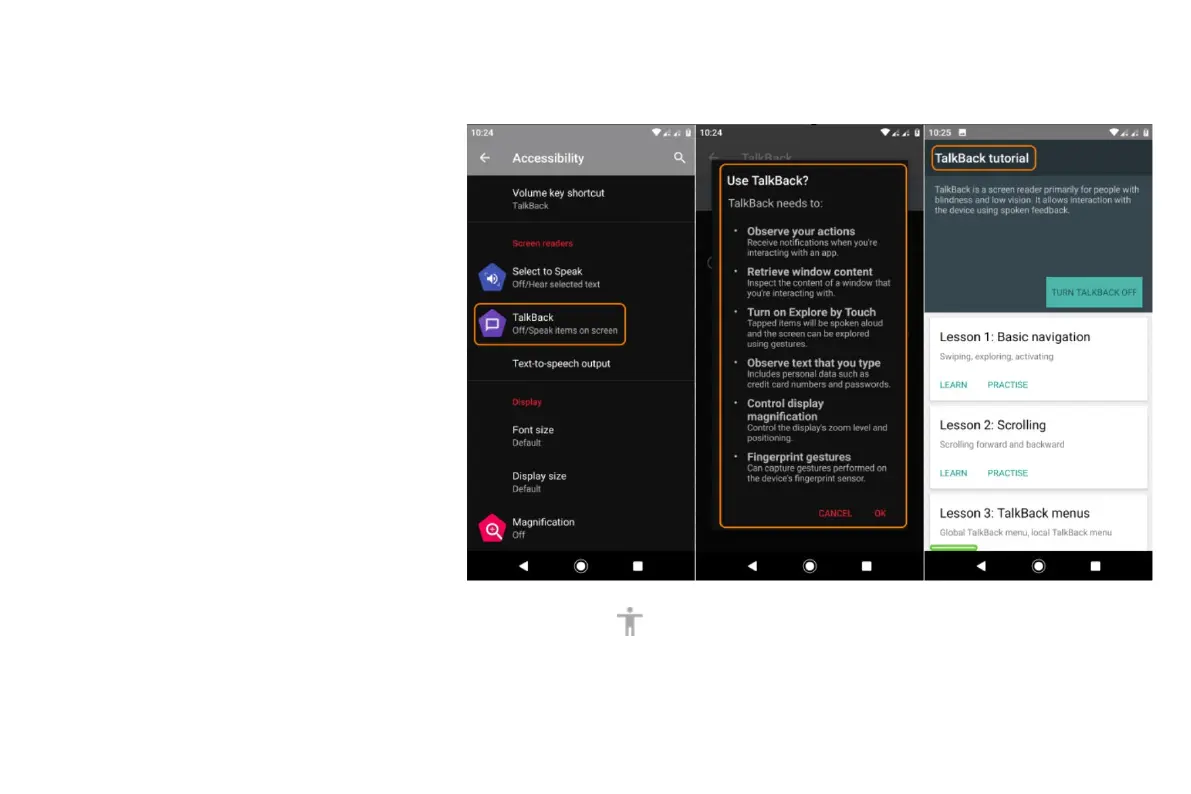
To enable TalkBack:
• Go to Settings > Accessibility.
• Touch TalkBack and turn it on.
• Touch Settings and set the options you
want.
When TalkBack is on:
• Touch an item. Your phone speaks the
name.
• Start typing. Your phone speaks each
number or letter.
• Drag status bar down. Your phone
speaks all of the notifications.
• Open a message, file, or book. Your
phone reads the text out loud.
To control TalkBack volume:
• Press a Volume button to open volume settings, then use the
slider to adjust the level.



 To Next Page