96
Unlock SIM card
When prompted, enter the PIN used to set up the SIM lock.
If you accidentally disabled the SIM
If you enter an incorrect PIN multiple times, the SIM will be disabled.
Contact your carrier for a PIN unlock key (PUK) to re-enable the SIM.
Find my device
Set up lost phone features
Find My Device allows you to remotely locate, lock, and erase your phone.
To remotely locate your phone, location services must be on. If not, you
can still lock and erase your phone, but you can't get its current location.
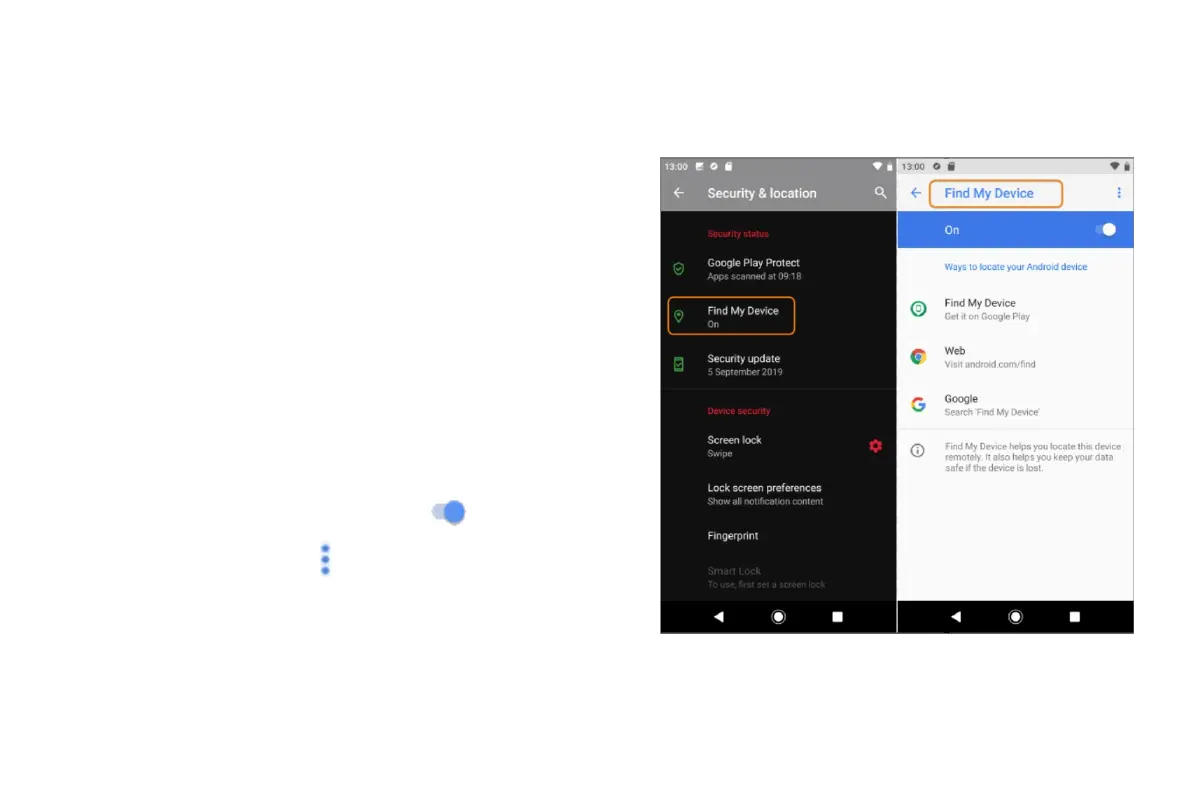
To confirm that Find My Device is enabled for your phone:
1. Go to Settings > Security & location.
2. Touch Find My Device and turn it on
.
3. To learn more, touch
> Help & Feedback.
To find your lost or stolen phone, go to android.com/find on a computer.


 To Next Page
 Loading...