Email -Customer Care:customer@cibortv.com (USA and Canada) | clienti@cibortv.com (Europa)
3
AV USBLAN
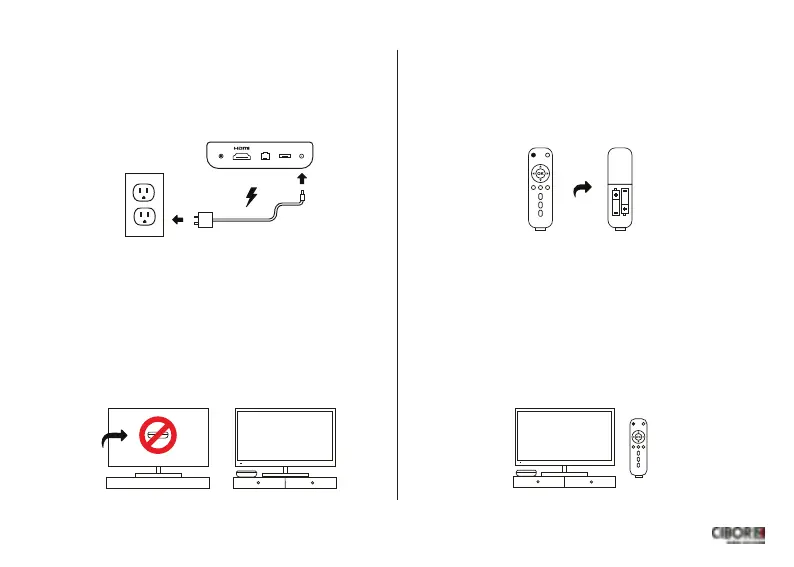
Connect your CiborTvBox to a power
outlet using the included power cord.
Connetti il CiborTv Box alla corrente
elettrica usando lʼalimentatore incluso
4
Place your CiborTvBox next to your TV,
not behind it.
Colloca il tuo CiborTv Box vicino
al televisore non dietro.
5
Insert 2 AAA batteries (not included)
into your remote.
Inserisci le 2 batterie AAA
(non incluse)nel telecomando.
6
Finally turn on your TV,set the HDMI
input and turn on your CiborTvBox.
Per ultimo,sul tuo televisore,imposta lʼingresso
HDMI e accendi il tuo CiborTvBox.


 To Next Page
 Loading...