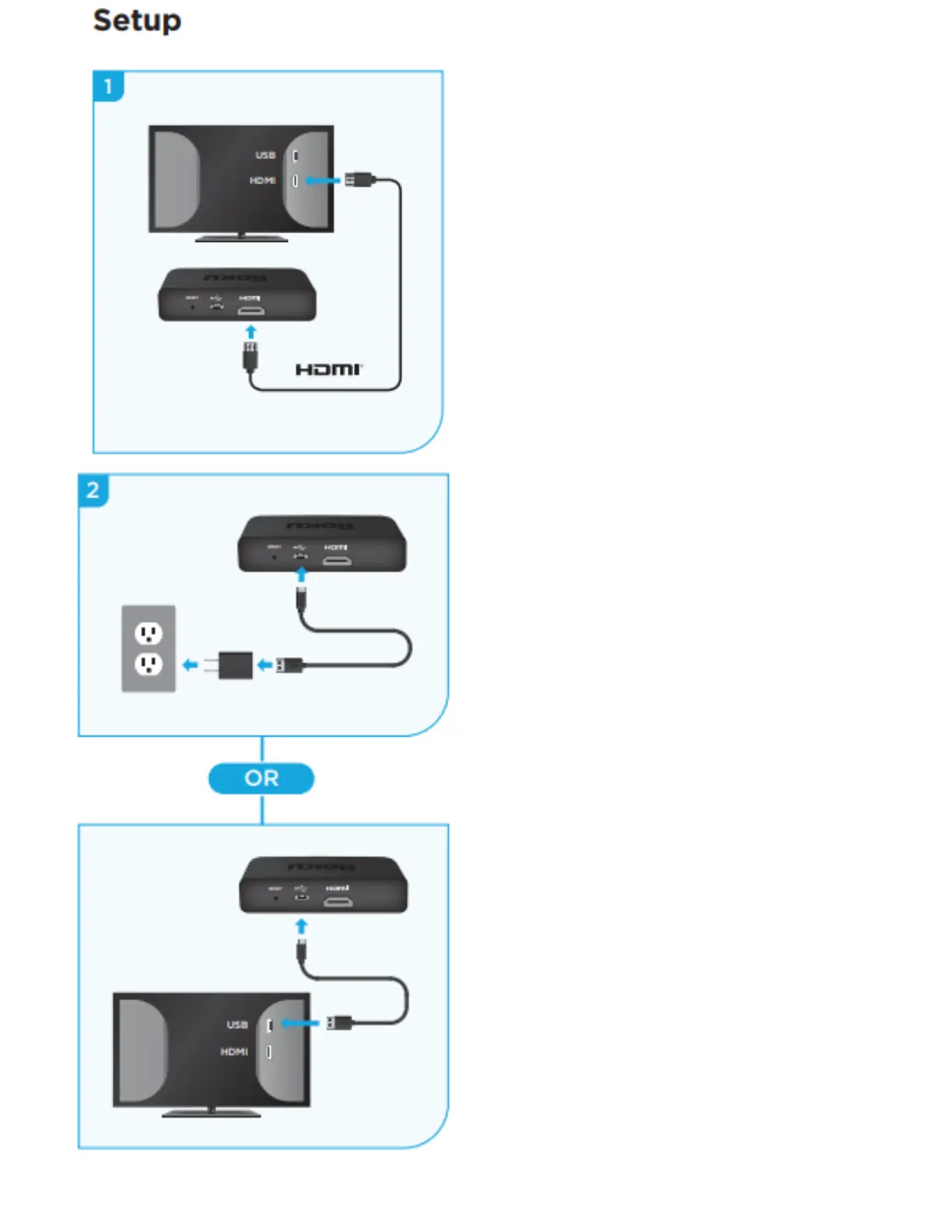
STEP 1:
Connect to TV
Use the included
High Speed HDMI
Cable (or your own
HDMI cable) to
connect the Roku
to your TV.
STEP 2:
Connect to power
For the best streaming
experience, use the included
USB power cable and power
adapter to connect the Roku
to a wall outlet.
Or use the included USB
power cable to connect to
the USB port on your TV.
NOTE: Not all TV USB ports
provide enough power. If you see
a red light on the Roku player,
that means the USB port does not
have enough power. Use the
included power adapter instead.


 To Next Page