52
Simple Recording (SONG SKETCH)
You are free to assign a name to a WAV file.
1
Press the [SONG SKETCH] button.
The SONG SKETCH screen will appear.
2
Use the CURSOR [ ] [ ] buttons to move the
cursor to the file name, and use the dial to select the
file that you want to rename.
3
Press the [MENU] button.
4
Use the CURSOR [ ] [ ] buttons to move the
cursor to “FILE,” and press the [ENTER] button.
5
Use the CURSOR [ ] [ ] buttons to move the
cursor to “NAME,” and press the [ENTER] button.
6
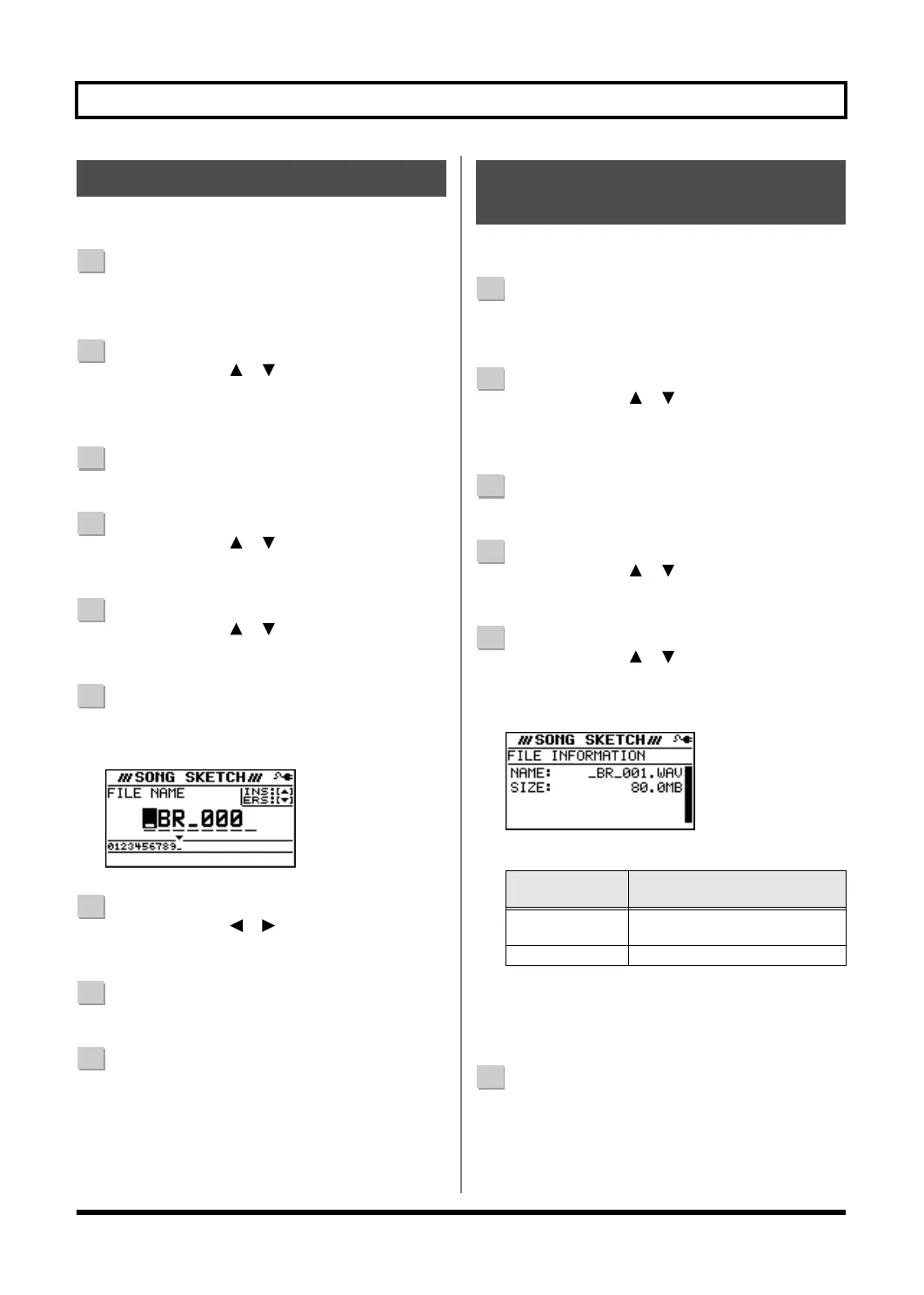
Press the [ENTER] button.
The FILE NAME screen will appear.
D_Song_Sketch_Name.eps
7
Use the CURSOR [ ] [ ] buttons to move the
cursor to the character that you want to change.
8
Turn the dial to choose the desired character.
9
When you’ve finished specifying the file name, press
the [EXIT] button a number of times to return to the
SONG SKETCH screen.
Here’s how to view information about the WAV file.
1
Press the [SONG SKETCH] button.
The SONG SKETCH screen will appear.
2
Use the CURSOR [ ] [ ] buttons to move the
cursor to the file name, and use the dial to select the
file whose information you want to view.
3
Press the [MENU] button.
4
Use the CURSOR [ ] [ ] buttons to move the
cursor to “FILE,” and press the [ENTER] button.
5
Use the CURSOR [ ] [ ] buttons to move the
cursor to “INFORMATION,” and press the [ENTER]
button.
D_Song_Sketch_Info.eps
Information about the file will be displayed.
* The actual size of the song is shown in megabyte units, each
one consisting of 1,048,576 bytes. The displayed amount is
an approximation.
6
Press the [EXIT] button a number of times to return to
the SONG SKETCH screen.
Naming a WAV File
Viewing Information about
the WAV File
FILE
INFORMATION
Explanation
NAME
Name of the currently selected
file
SIZE Space occupied by the file
BR800_e.book 52 ページ 2010年3月2日 火曜日 午後6時40分



 To Next Page
 Loading...


