3-6 Pausing and Stopping Cutting
Pausing and Resuming Cutting
This pauses cutting through operation using the handy panel. This enables you to move the cutter to the VIEW position and
check the status of the workpiece, then resume cutting at the location where you paused operation.
Procedure
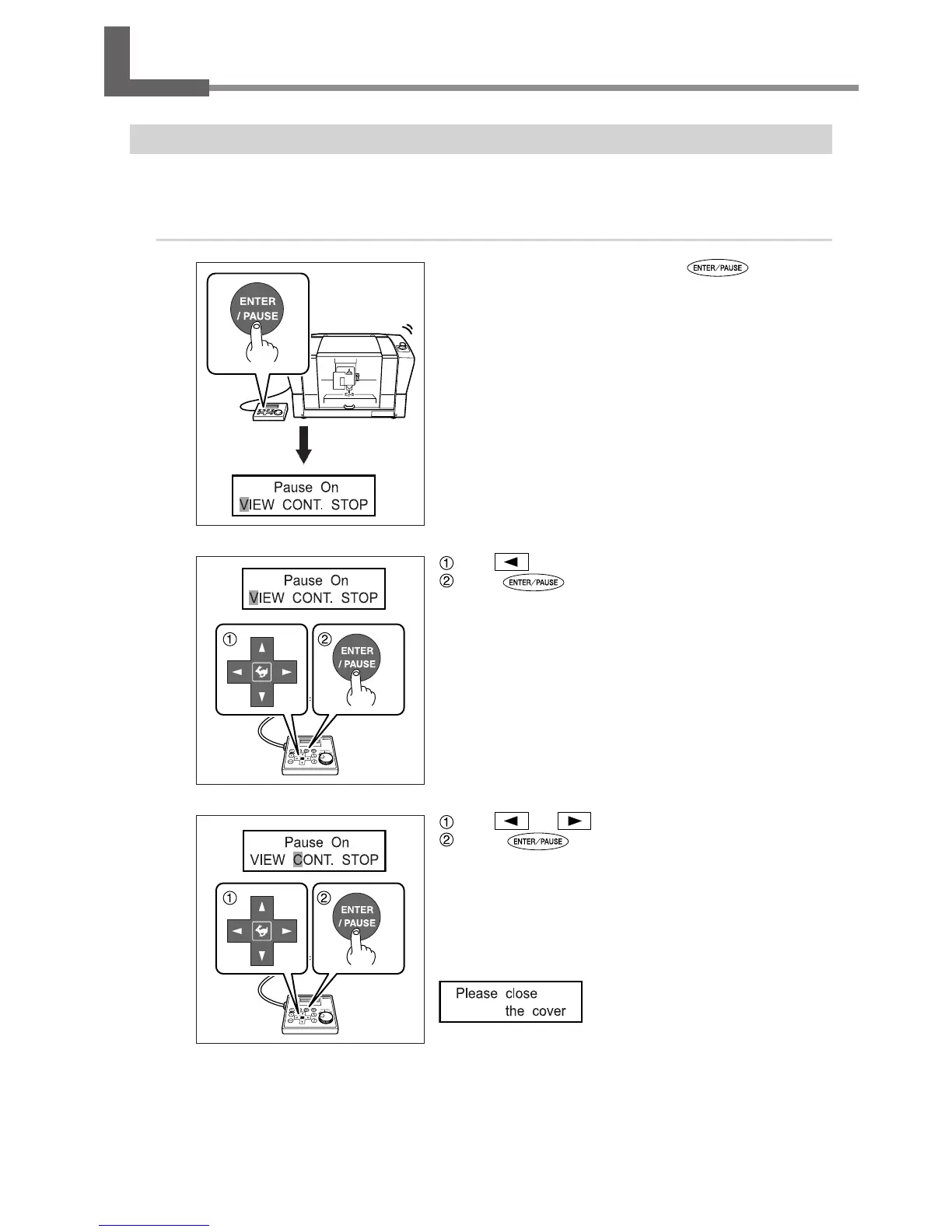
While cutting is in progress, press .
Movement of the cutter pauses. Rotation of the spindle does not stop
at this time.
The display screen shown at left appears.
Use to select “VIEW.”
Press to conrm.
Rotation of the spindle stops, and the cutter moves to the VIEW
position.
P. 45, “Moving to a Specic Position Automatically”
Use or to select “CONT.”
Press to conrm.
The cutter returns to the location where paused, and cutting resumes.
Selecting “VIEW” or “CONT.” while the front cover is open makes the mes-
sage shown in the gure below appear. After three seconds the message
disappears and the screen returns to the original menu. Close the front
cover, then redo the selection of the operation item.



 To Next Page
 Loading...



