75
4-8 Setting the XY Origin Point
Setting the XY Origin Point (Home Position)
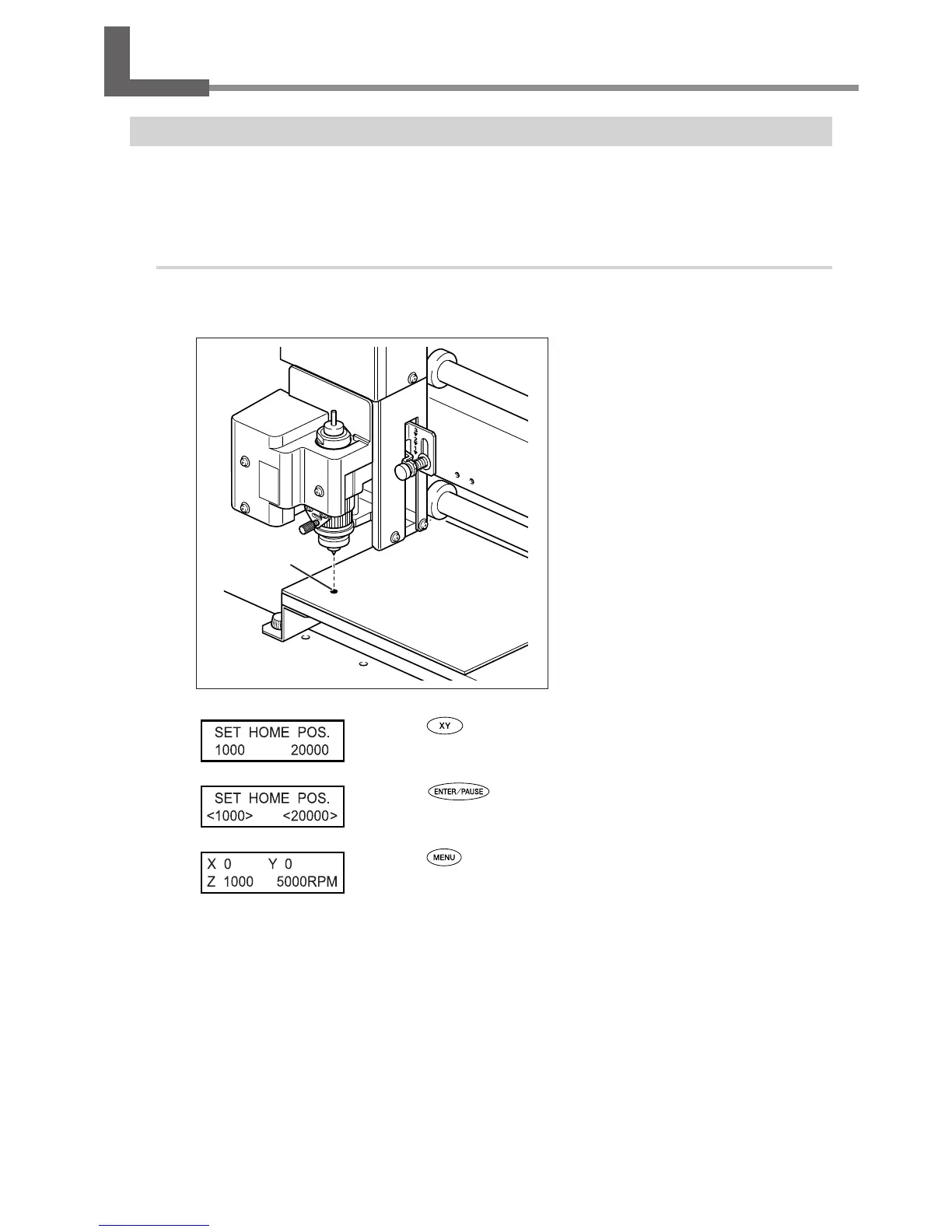
This sets the X- and Y-axis coordinates used as the origin point for cutting. This location is termed the XY origin point, which
on this machine is called the “home position.” On this machine, you can set the XY origin anywhere within the operating
range. Set it to match the engraving data and the position of the mounted workpiece.
P. 45, “Moving to a Specic Position Automatically,”
Procedure
Install a cutter and mount a workpiece.
P. 54, “Mounting a Workpiece,” and p. 56 through 74, “Cutter Installation Method 1” through “Cutter Installation Method 4”
Move the cutter to the location you
want to make the XY origin point (the
home position).
P. 44, “Manual Movement”
Press .
Press to conrm.
The XY origin point (the home position) is set.
Press .
The main display appears. The coordinate values for X and Y are set to 0.
Origin



 To Next Page
 Loading...



