When Moving the Unit
5
Administrator
Menu
169
D
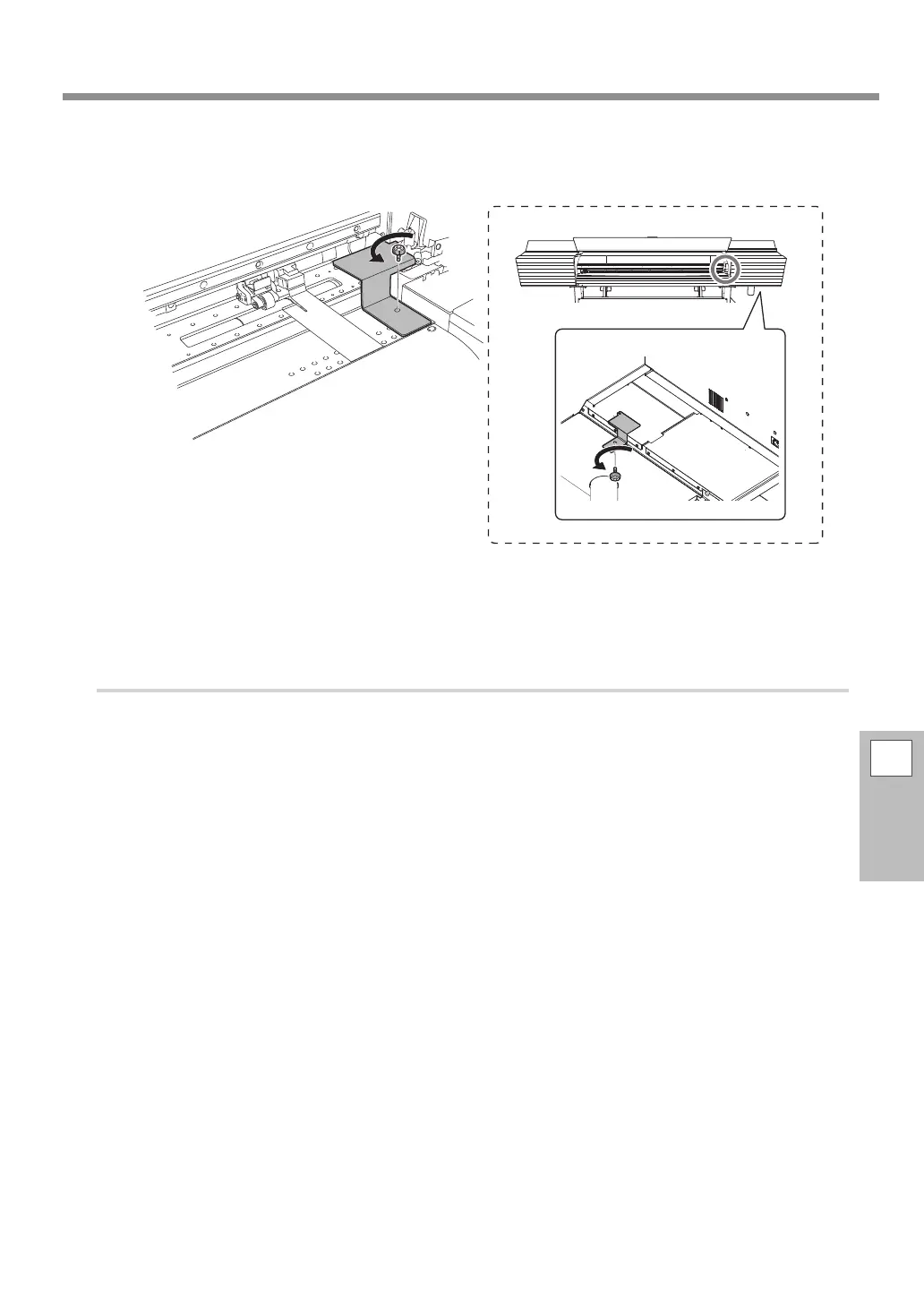
Secure the print heads in place using the retainer.
Use the retainer that was attached to the bottom of the machine during its installation.
E
Switch off the main power.
2. Relocate the machine.
A
When the preparation for transfer is complete, transport the machine as soon as pos-
sible.
B
Reinstall the machine and switch on the main power immediately.
To prevent the print heads from being damaged, complete the relocation without taking too much
time, and turn on the main power of the machine immediately after it is transferred. To install the
machine again, follow the procedure in the Setup Guide.



 To Next Page
 Loading...









