23
Connecting External Equipment
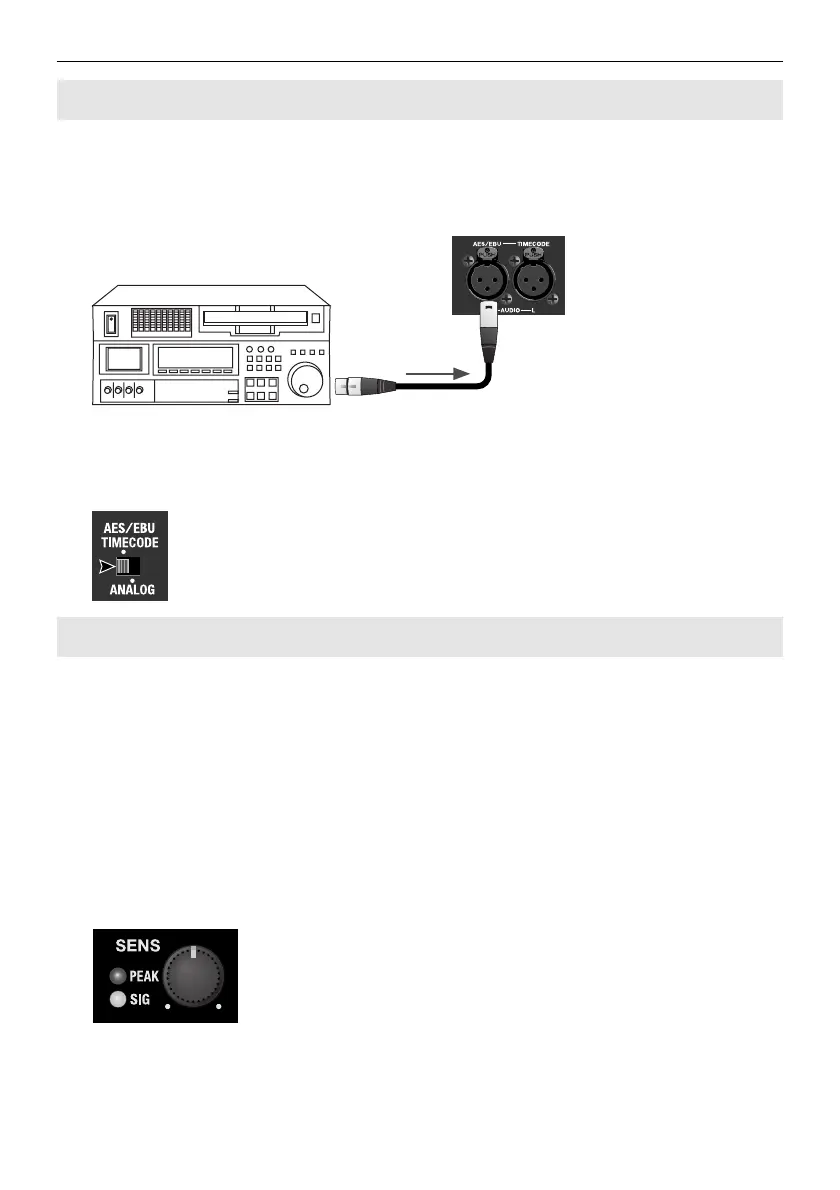
Use [AES/EBU] connector on the rear panel for your digital audio source. For information
on the source selection, refer to “Audio Source Settings” (p. 28).
* The standard supported by the VC-30HD is AES3 (16 to 24 bits, 32 to 48 kHz, 2 channels).
fig.connect-AES-EBU.eps
At this time, set the [AUDIO IN] selector switch to [AES/EBU TIMECODE].
* When this setting is in effect, you can input AES/EBU digital audio and a timecode simultaneously
(p. 25).
fig.select-AES-EBU.eps
PEAK indicator
This lights up when input from the audio source is too high. If it lights up, use the [SENS]
dial to lower the input sensitivity.
SIG indicator
This lights up when input from the audio device is adequate.
SENS dial
This adjusts the audio input sensitivity of the VC-30HD. For information on input levels,
refer to “Main Specifications” (p. 29).
fig.SIG-PEAK-GAIN.eps
Making a Digital Connection
The PEAK/SIG Indicators and the SENS Dial



 To Next Page
 Loading...









