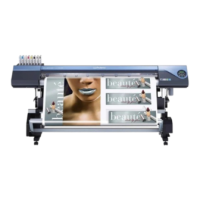
Image of overprinting in the sequence of CMYKLcLm Color and then white
(Print Mode "CMYKLcLm -> W (v) ")
* The white data and the CMYKLcLm color data are actually printed simultaneously, but they are shown here
as separate layers in order to indicate the printing sequence.
Click .
In [Operation Mode], select the operation
of the printer.
Click [OK] to close the "Queue A Proper-
ties" window.
This is the end of the print job setting. To start printing, go on to P. 51, "Starting the Print Operation".
* Only the settings necessary for the use of the white ink are described in this section. For other settings, refer
to the online help provided for VersaWorks.
When You Want to Display the Side Opposite the Printed Surface by Using Clear
Film. P. 32
Transparent lm
The printed
image is to be
seen from this
side (the oppo-
site side of the
printed surface
of the nished
results).
White
CMYKLcLm
VS-640i_USE2_EN_R1.indb 36 2013/07/23 19:00:28



 To Next Page
 Loading...