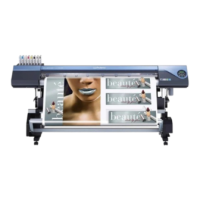
Blend Print (Metallic Silver + CMYKLcLmLk)
This section describes how to perform the blend print with the metallic silver ink and CMYKLcLmLk ink.
P. 18, "Blend Print and Layered Print (Metallic Silver and CMYKLcLmLk)"
To perform the blend print, you need to use the printing data where the use of the metallic silver ink and the
CMYKLcLmLk ink is designated.
P. 12, "2-3 Creating Printing Data"
(Image of printing method)
Procedure
Make sure that you have nished making the preparations for VersaWorks, getting the
printer ready, and creating the printing data ( P. 9, "Chapter 2 Getting Ready").
Double-click .
"Queue A Properties" window appears.
The metallic silver ink and the CMYKLcLmLk ink are blended to be a single layer
for printing.
Media
Metallic Silver and CMYKLcLmLk
VS-640i_USE2_EN_R1.indb 43 2013/07/23 19:00:29



 To Next Page
 Loading...