11
Panel Descriptions
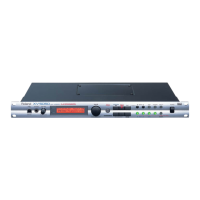
Front Panel
fig.FrontPanel
A
USB Connector
Use this for connecting a computer to the XV-5050 using a USB cable
(p. 35).
PHONES Jack
Headphones are plugged in here (p. 13).
[VOLUME] Knob (PHRASE PREVIEW)
Adjusts the volume from the A (MIX) OUTPUT jacks and PHONES
jack. The volume from the OUTPUT B jacks cannot be adjusted.
You can press the knob to listen to the XV-5050 without using any
external devices. (Phrase Preview; p. 18)
B
MIDI MESSAGE indicator
This will light when a MIDI message is received via MIDI connector.
USB MESSAGE indicator
This will light when a MIDI message is received via USB connector.
C
Display
Presents a variety of information about the operation being
performed.
D
[VALUE] Dial (FAVORITE LIST)
Turn this dial to change a parameter’s setting, or “value.” If you hold
down [SHIFT] as you turn [VALUE], the parameter’s value will
change by larger increments.
Press this dial in Patch/Rhythm Set mode to display a list showing
the collection of your favorite sounds. (Favorite List; p. 33)
[PATCH FINDER] Button
You can choose a Patch using the Patch Finder feature (p. 21).
E
[PERFORM] Button
Press this button to enter Performance mode (p. 23).
Press this button while holding down [SHIFT] to enter General MIDI
2 mode (p. 23).
[PATCH] Button
Press this to enter Patch mode (p. 23).
Press this button while holding down [SHIFT] to enter Rhythm Set
mode (p. 23).
[EXIT] Button
Press this button when you wish to return to a mode’s PLAY screen,
or to cancel an operation before executing it.
Hold [EXIT] and press [ BANK] to hear the XV-5050 demo
songs.
F
[ CURSOR], [CURSOR ] Buttons
Move the cursor (underline) with these.
[SHIFT] Button
Use [SHIFT] in combination with other buttons. Holding down this
button changes the functions of other buttons.
G
[ BANK], [BANK ] Buttons
Choose the Bank with these (p. 21).
[EDIT] Button
Provides access to relevant settings, or “parameters.”
[SYSTEM] Button
Press this to enter System mode.
This allows you to make settings that affect the entire XV-5050.
[UTILITY] Button
Press this to enter Utility mode.
This button allows you to perform operations such as saving,
copying, initializing, transferring data, write-protecting data, and
factory reset operations.
H
TONE SWITCH/SELECT [1]–[4] Buttons
(In Patch/Rhythm Set mode)
Switches each Tone on or off when [TONE] is dark (p. 39).
Chooses a Tone whose settings you wish to change when [TONE] is
lit (p. 39).
[ PART], [PART ] Buttons
(In Performance mode)
Chooses a Part whose settings you wish to change (p. 64).
[INFO] Button
(In Performance mode)
Press this to check the receive status of various types of MIDI
message for each Part (p. 67).
I
[TONE] Button (ENTER)
Switches the function of the TONE SWITCH/SELECT [1]–[4]
buttons.
• When this button is dark, [1]–[4] switches each Tone on or off.
• When this button is lit, [1]–[4] chooses a Tone whose settings you
wish to change.
Finalizes a setting value or executes an operation (ENTER).
J
[POWER] Switch
Turns the XV-5050’s power on and off (p. 14).
I
A
B
C J
E
F
G
HD
XV-5050_e.book 11 ページ 2003年6月27日 金曜日 午後3時14分


 To Next Page
 Loading...