12
Panel Descriptions
Rear Panel
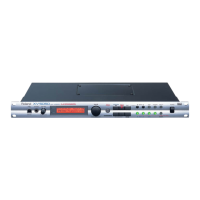
fig.FrontPanel
K
AC Inlet
Connect the included power cable here. (p. 13)
L
MIDI Connectors (IN, OUT, THRU)
These connectors connect the XV-5050 with other MIDI devices,
enabling the sending and receiving of MIDI messages. (p. 19)
IN:
This connector receives messages from another MIDI device.
Out:
This connector transmits messages to another MIDI device.
Thru:
MIDI messages received at the MIDI IN connector will be
retransmitted from this connector without being changed by
the XV-5050.
M
Digital Out Connectors
The XV-5050 features both optical and coaxial digital out connectors
(conforming to S/P DIF).
S/P DIF:
A digital interface format used for consumer digital audio
devices.
N
A (MIX) OUTPUT Jacks (L (MONO), R)
These jacks send audio signals in stereo (L/R) from the XV-5050 to
an amp or mixer. For a mono output, use only the L jack. (p. 13)
These jacks are used when the SYSTEM SETUP Mix/Parallel
parameter is set to MIX. (p. 107)
* The XV-5050, as shipped from the factory, routes the output of all
PRESET Patches to these jacks.
O
B OUTPUT Jacks (L, R)
These jacks send audio signals in stereo (L/R) from the XV-5050 to
an amp or mixer. (p. 13)
P
INDIVIDUAL 1–6 OUTPUT Jacks
These jacks output audio signals in mono from the XV-5050 to an
amp or mixer. (p. 13)
K
L
M
NO
P
XV-5050_e.book 12 ページ 2003年6月27日 金曜日 午後3時14分


 To Next Page
 Loading...