OPERATION
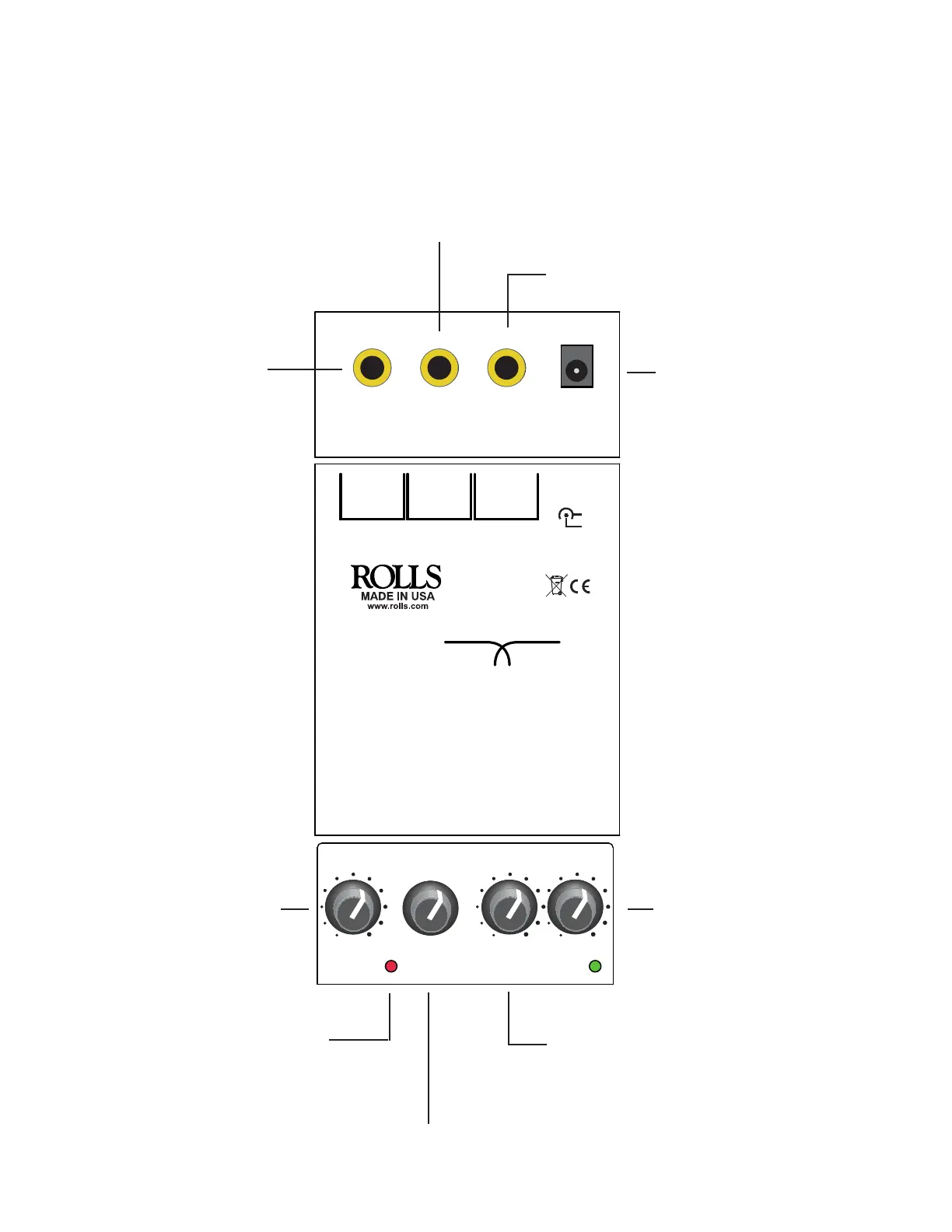
Connect the Input of the SX21 to the output of a mixer or other device that has the signal to be divided. The High and Low Outputs of the SX21 should be
connected to the proper amplier and speaker combination. Check speaker specications to ensure that the speakers are receiving the proper frequen-
cies.
DC IN
VDC
+
-
INPUT LOW
OUTPUT
HIGH
OUTPUT
INPUT FREQUENCY LOW
LEVEL
HIGH
LEVEL
HIGH LEVEL
LOW LEVEL
FREQUENCY
INPUT
CLIP
PWR
SX21
TINY TWO-WAY XOVER
50
75
100
250
375
500
1K
2K
2.5K
1.5
0 10
0 10
0 10
SX21
TINY TWO-WAY
CROSSOVER
DC IN: For connection to an external
power supply, 12-15 volts DC Rolls
model PS27s.
CLIP LED: Indicates over-
load in the SX21. This LED
lights 3 dB before actual
circuit clipping occurs.
INPUT: Adjusts the input
level to the SX21.
FREQUENCY: Selects the crossover
frequency from 50Hz to 2.5kHz.
HIGH LEVEL: Adjusts the amount of output
signal from the HIGH OUT jack.
LOW LEVEL: Adjusts the amount of
output signal from the LOW OUT jack.
INPUT: 1/4” TS unbalanced jack
for connecting to the output of
a mixer or other device contain-
ing the signal to be divided.
LOW OUT: 1/4” TS unbalanced
jack containing the signal of
frequencies below the cross-
over frequency.
HIGH OUT: 1/4” TS unbalanced jack containing the
signal of frequencies above the crossover frequency.



 To Previous Page
 Loading...