E-LOCK PROFESSIONAL
Operating Instructions
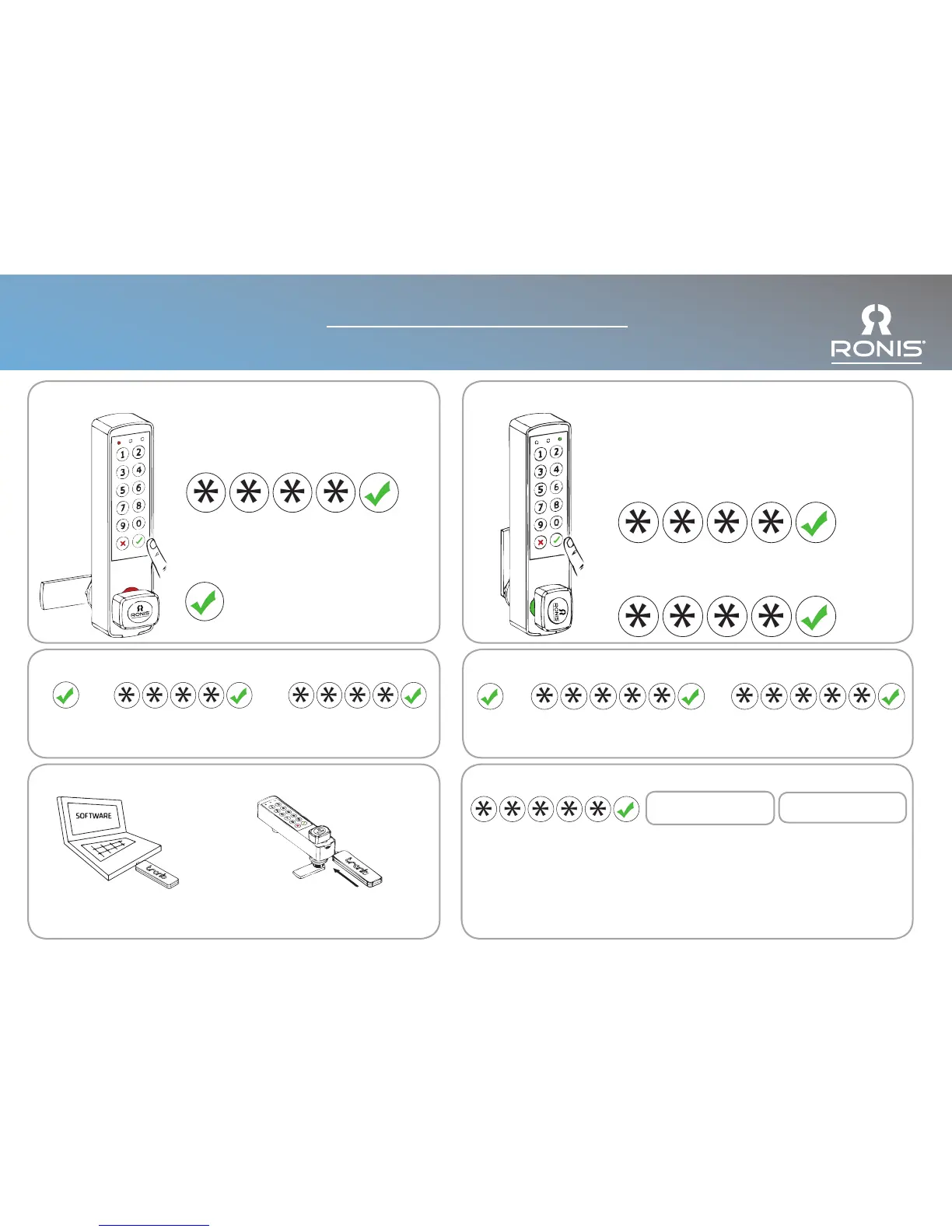
Single User Mode:
To Close:
Press Enter then turn the knob manually.
Multi User Mode:
To Open:
Enter a 4 digit code. The code is erased every time the
lock is opened.
After 3 error attempts the system locks out and blocks
any access for 30 seconds. The time can be adjusted
via the software.
To Close:
Enter a 4 digit code and turn the knob manually
+
+
Input the current User Code
and press Enter. Default: 1111
Input the new User Code
and press Enter.
Change the Master Code:
Input the current Master Code
and press Enter. Default: 98765
++
Input the new Master Code
and press Enter.
Settings Key:
Load settings from the computer
to the Settings Key (Black).
+
Connect the Key to the lock.
Settings automatically transferred.
Open using Master Code / Electronic Master Key:
Inspection Mode:
Input Master Code (Insert Key) and
press Enter. (Remove Key)
Press Enter to close lock within 30
seconds.
The User Code is not deleted (Multi
User Mode).
Delete User Code - Multi User Mode:
Input Master Code (Insert Key) and press
Enter. (Remove Key)
After 30 seconds the lock remains open.
User Code has been deleted and a new User
Code is required.
Less than 30 seconds:
Inspection Mode
More than 30 seconds:
User Code Deleted
Hold for
3 secs
Hold for
3 secs
To Open:
Enter the 4 digit code. Default: 1111 and press
Enter. The lock is open.


 To Next Page