IS2100-M Generation 2
Installation, Program & Operation Manual
www.rontan.com.br REV 1 Page
15 – Errors Identification
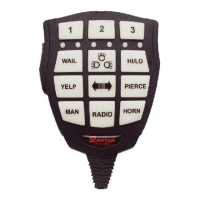
A possible malfunction of the IS2100-M G-II will be indicated by six LEDs in the center of the panel of
the microphone. Table 9 describes the meaning of each error and the action for the indicated
problem.
No communication between the remote control -> CPU
100W
Check that the connections
No communication between the CPU 100W -> Remote
Control
Check that the connections
Short Circuit on the 0,25A outputs
Check the connections on the 8 digital
outputs
Short circuit n the siren output or overheating
Check the siren, speaker and connections
Invalid instruction or invalid commands
Check the IS2100-M G-II programming
No synchronization between the CPU and the lightbar
Check the connections with the lightbar
Turn on the engine of the vehicle to
charge the battery
This two errors lights signal alternating, means overload
on the supply voltage
Check the supply voltage of the vehicle
Incompatibility of the remote control and the CPU
Table 7: Errors Identifications


 To Previous Page
 Loading...