Roomie Remote Version 3 Quick Start Guide
Copyright © 2014 Roomie Remote, Inc. 13 roomieremote.com
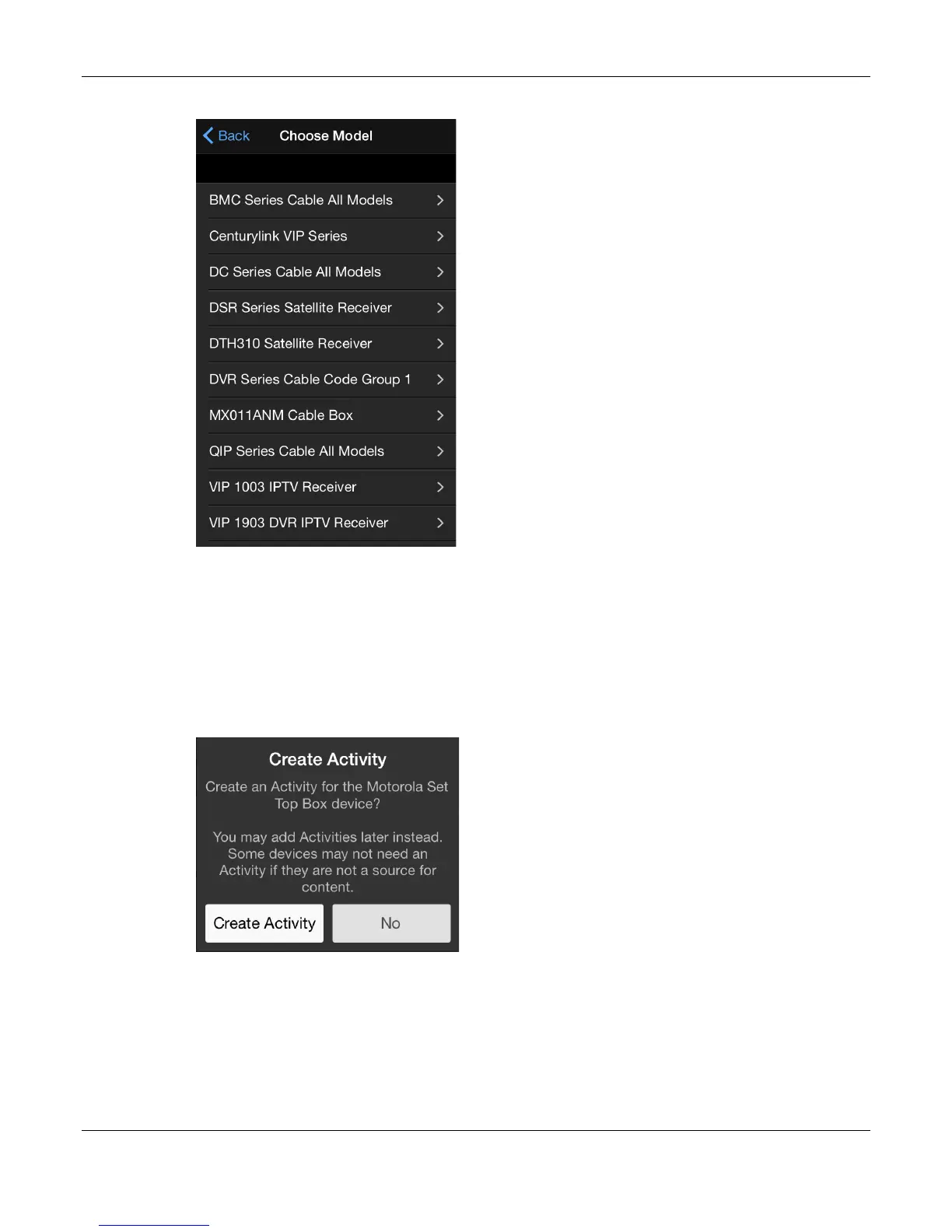
The Choose Model screen appears, showing the models supported by Motorola.
21. Tap the appropriate Set Top Box model.
For this demonstration, QIP Series Cable All Models is being used.
Note: When choosing the model of a device, always choose the closest match to your
model; you may need to try a couple before you get the right one.
The Add Device screen appears.
22. Tap Save.
The Create Activity popup appears.
23. Tap Create Activity.
Because the Motorola Set Top Box is a source of content, we create an activity for it.
The Roomie Remote app will automatically name the activity for you, but you can change
the name if you like.


 To Next Page
 Loading...