Roomie Remote Version 3 Quick Start Guide
Copyright © 2014 Roomie Remote, Inc. 2 roomieremote.com
HARDWARE SETUP
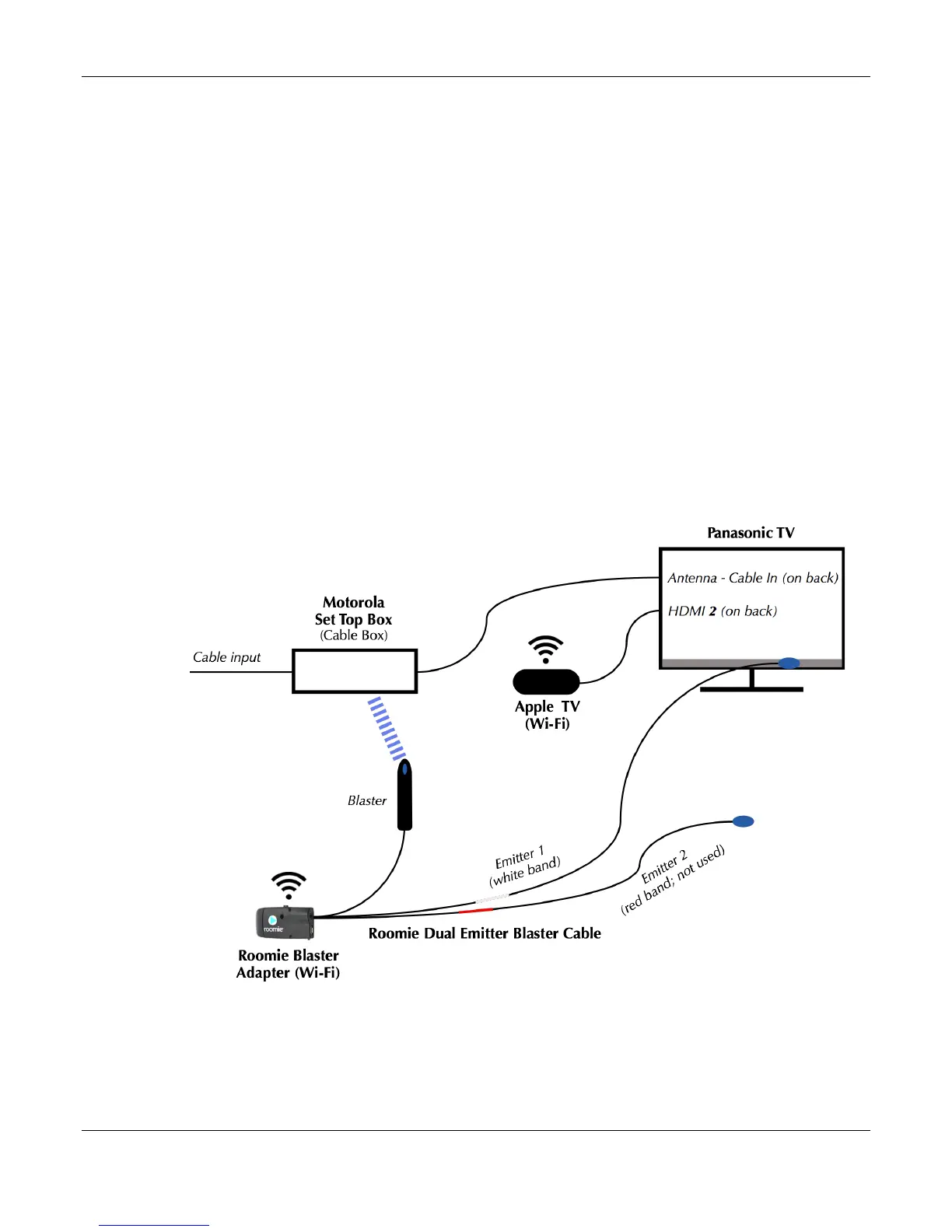
We will be setting up and configuring three devices:
• a Motorola Set Top Box (STB): Sometimes called a cable box, the Motorola STB receives
content from a cable provider and connects to the Panasonic TV on the TV’s Antenna –
Cable In port. The Motorola STB is an infrared-controllable device; we are controlling it
using the blaster on a Roomie Dual Emitter Blaster Cable. A blaster can control multiple
devices as long as it has line of sight to each device and is within ~20 feet of the device.
• an Apple TV: Apple TV connects to the home network via Wi-Fi to receive content and to
the Panasonic TV on the TV’s HDMI 2 port. Follow the manufacturer’s instructions to set
up the Apple TV. Apple TV is a network-controllable, supported device, so once you
follow the manufacturer’s instructions to configure it, no additional hardware is needed for
Roomie Remote to control it.
• a Panasonic TV: The Panasonic TV is an infrared-controllable device; we are controlling it
using Emitter 1 (white band) of the Roomie Dual Emitter Blaster Cable. To use the emitter,
remove the backing from the emitter eye, then affix the emitter eye directly over the
infrared receiver port.
Note: Emitter 2 (red band) of the Roomie Dual Emitter Blaster Cable is not being used.



 To Next Page
 Loading...