4
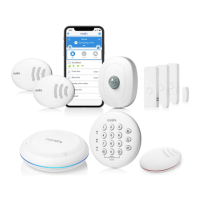
Proceed to connect and install each sensor in your kit. Follow the steps in the User Manual
(see pages 4-17) for further details:
Connect Sensors – Pull out each red tab from the sensors while the SmartBase is in paring mode
(blinking green). The sensor should start blinking green (pairing mode). They will automatically
connect after a few seconds, and you hear an audible confirmation from SmartBase for each sensor.
Locate & Place – Proceed to place each sensor in appropriate locations around your home and test
connectivity.
Connect To Wi-fi – Follow the prompt in the app (see page 18).
Edit Sensor Name – Customize the default name for each sensor by following prompts in the app
and selecting the appropriate location name for each sensor.
Set PIN Codes – Follow the prompt in the app to change your PIN code for disarming system. You
can also add a guest PIN code and one for Hostage situation.
Activate Professional Monitoring – Follow the prompt in the app to activate the professional
monitoring service and to add emergency contact monitors to receive alerts and respond to
emergency alarm situations.


 To Next Page
 Loading...