EasyManua.ls Logo

Rosewill RIKB-11003 - User Manual

Rosewill RIKB-11003
4 pages
Print Icon
To Next Page IconTo Next Page
Loading...
Question and Answer IconNeed help?

Do you have a question about the Rosewill RIKB-11003 and is the answer not in the manual?

Summary

Installation and Verification

Hardware and Software Installation

Steps for connecting the keyboard and installing its software. Ensures proper recognition.

Software Installation Verification

Confirms successful installation by checking hardware manager for keyboard drivers.

User Interface and Configuration

Main Frame and UI Overview

Explains the main user interface and its components for customization.

UI Configuration Guide

Details on how to set up keyboard functions and visual elements.

Advanced Settings

Options for quick mode switching and media player integration.

Profile Management

Profile Selection

Managing and switching between different user profiles and layers.

Macro and Key Customization

Linked Application and Auto-Switch

Setting up automatic profile switching based on application launch.

Macro Recording and Editing

Creating, editing, and managing sequences of keys and mouse actions.

Key and Button Mapping

Reassigning keyboard keys and mouse buttons to different functions.

Function Selection

Assigning special functions like hotkeys, media controls, and program launches.
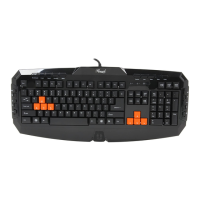
Anti Key Combination Examples

Summary

Installation and Verification

Hardware and Software Installation

Steps for connecting the keyboard and installing its software. Ensures proper recognition.

Software Installation Verification

Confirms successful installation by checking hardware manager for keyboard drivers.

User Interface and Configuration

Main Frame and UI Overview

Explains the main user interface and its components for customization.

UI Configuration Guide

Details on how to set up keyboard functions and visual elements.

Advanced Settings

Options for quick mode switching and media player integration.

Profile Management

Profile Selection

Managing and switching between different user profiles and layers.

Macro and Key Customization

Linked Application and Auto-Switch

Setting up automatic profile switching based on application launch.

Macro Recording and Editing

Creating, editing, and managing sequences of keys and mouse actions.

Key and Button Mapping

Reassigning keyboard keys and mouse buttons to different functions.

Function Selection

Assigning special functions like hotkeys, media controls, and program launches.

Anti Key Combination Examples

Rosewill RIKB-11003 Specifications

General IconGeneral
BrandRosewill
ModelRIKB-11003
CategoryKeyboard
LanguageEnglish

Related product manuals