Caution: Before you set up and operate your server, see the
“Important Safety Instructions” in your User manual.
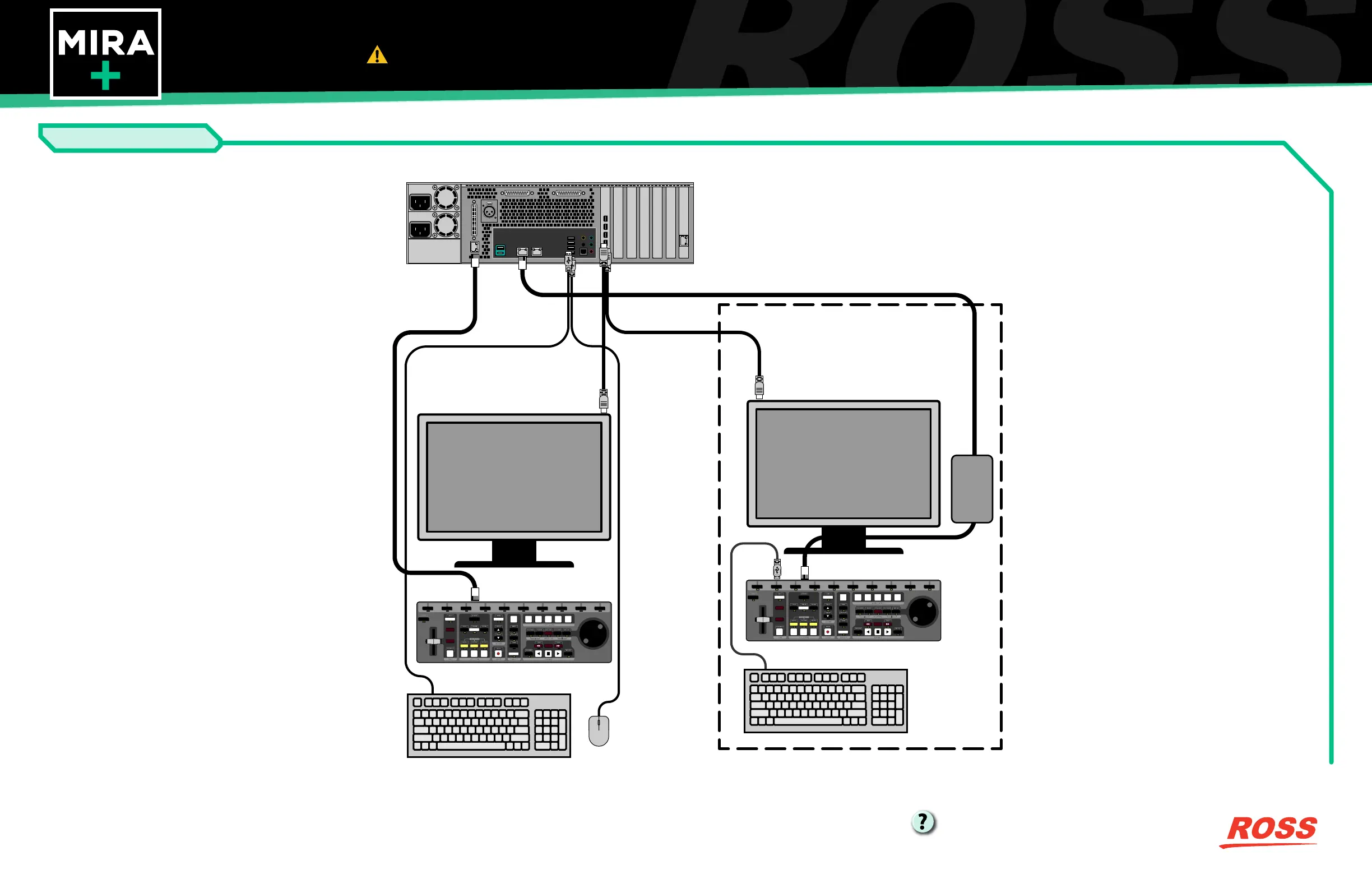
User Interface Cabling
Printed In Canada
Having a problem? Call our free, 24-hour technical
support hotline to speak with a live product
specialist located right here in our facility.
Tel: (+1) 613 • 652 • 4886
Email: techsupport@rossvideo.com
User Interface Connection
VAR
PLAY
IN POI OUT
PLAY
LIST
P1 P2 P3 P4
GANG
REVERSE
PAUSE
DISABLE
VAR 2SHIFT
1
2 3 4
5
6 7 8 9 10
SEARCH
SAVE
LOAD
GOTO IN GOTO POI GOTO OUT
ERASE APPEND
MARK SCROLL WINDOW CRUISE
GOTO TC LOOP
JOG
CUT
COPY
EXIT
TAKE
VAR
PLAY
IN POI OUT
PLAY
LIST
P1 P2 P3 P4
GANG
REVERSE
PAUSE
DISABLE
VAR 2SHIFT
1
2 3 4
5
6 7 8 9 10
SEARCH
SAVE
LOAD
GOTO IN GOTO POI GOTO OUT
ERASE APPEND
MARK SCROLL WINDOW CRUISE
GOTO TC LOOP
JOG
CUT
COPY
EXIT
TAKE
PoE Injector
Optional Mira Control Surface
Note: The Mira Control Surface connects to the AVC-In-
tra and the DVCPRO-HD systems in the same way.



 To Previous Page