EasyManua.ls Logo

Rossmax WF262 - User Manual

Rossmax WF262
9 pages
Print Icon
To Next Page IconTo Next Page
Loading...
www.rossmax.com
Model: WF262
OBM_IB_WF262_
EN_SW_ver2010
INSWF262000000010
Warranty Card
This instrument is covered by a 2 year guarantee from the
date of purchase, batteries and accessories are not included.
The guarantee is valid only on presentation of the warranty
card completed or stamped by the seller/dealer confirm-
ing date of purchase or the receipt. Opening or altering the
instrument invalidates the guarantee. The guarantee does
not cover damage, accidents or non-compliance with the
instruction manual. Please contact your local seller/dealer or
buying source or www.rossmax.com.
Customer Name: ________________________________
Address: _______________________________________
Telephone: ______________________________________
E-mail address: __________________________________
Product Information
Date of purchase: _______________________________
Store where purchased:
________________________________________________
Manufacturer: Rossmax Swiss GmbH,
Widnauerstrasse 1, CH-9435 Heerbrugg, Switzerland
www.rossmax.com
Pairing the device with your Smartphone for rst time use.
Please visit the website at www.rossmax.com for the initial
set-up instructions.
1. Download and install the applicable APP onto your
smartphone.
2. Set up your personal data on the APP.
3. Turn Bluetooth and the APP of smartphone on, and fol-
low the setup and pairing instructions.
4. The Bluetooth symbol (
) will illuminate on the display
that indicates the pairing is done.
If the pairing is successful, once the measurement is
done, the current measured reading will automatically
be transferred to the APP and your measured values will
also be shown on the APP at the same time.
If the pairing has failed, the symbol will be shown on
the display, and the current measured values will not au-
tomatically be transferred to the APP. Please re-pair this
device with your smartphone.
• Clean the scale only by using a slightly damp cloth.
• Do not use solvents or abrasive cleaning agents.
• Do not submerge the scale under water.
• Store the scale in a dry location and keep it horizontal.
• Do not expose the scale to direct sunlight.
Place the unit gently and avoid strong shocks, such as
dropping the unit on the oor.
Capacity x Graduation 5-150kg x 100g
Accuracy 50kg ± 0.4kg; 100kg ± 0.5kg;
150kg ± 0.6kg
Display resolution Body fat/Body muscle: 0.1%
Body fat 5-80% ±2
Body muscle 25-90% ±2
Measurement unit
Kg/lb/
Dimensions Approx. 300 x 270 x 22mm
Batteries AAA*3
Auto-on value 5-15Kg
Operation condition 5-40°C, ≤85%RH, 80 - 106kPa
Storage condition -20-55°C, ≤90%RH, 50 - 106kPa
Error
messages
Possible causes Correction
No display
appears
Battery at or no
battery.
Replace the batteries
with the intended type
(3 x AAA).
Battery is not in-
stalled or inserted
properly.
Re-insert the batteries
in the correct positions.
The weight is
less than auto-on
value.
Step on the scale or
press it hard to meet
auto-on value (5-15kg).
Low battery.
Replace the batteries
with the intended type
(3 x AAA).
The weight value
is above the meas-
urement range.
The maximum meas-
urement capacity is
150 kg. Please remove
the critical load to
avoid load cell damage.
Measurement
error.
Please follow the meas-
urement steps and try
again.
Data transmit
failure.
Connect this device
with your smartphone
and transfer again.
Data Transfer via Bluetooth
Care and Maintenance
Technical Data
Error Messages and Troubleshooting
Data Transfer via Bluetooth
Please download and install
the free Healthstyle APP onto
your smartphone
Healthstyle APP
APP
45 kg
APP
45 kg
Bluetooth Body Fat Scale
Step 4
The measured reading (weight) will blink twice and
lock on LCD display. Check your measured values
(body weight, body fat in %, muscle in %, visceral fat
level, BMR and BMI) from the APP.
Note:
1. Before 0.0 kg appears, please don’t step on the monitor.
Without further activity the monitor will automatically
power-o in 15 seconds.
2. Unpairing your device will not delete the data from the
APP.
3. If you re-pair your smartphone with the device, all prior
reading history stored on the phone APP will be re-
tained.
4. Bluetooth data transfer will reduce the battery capacity.
5. Electromagnetic interference: Avoid strong electrical or
electromagnetic elds in the direct vicinity of the de-
vice.
1. The unit switch button is located at the bottom of the
scale.
2. Press the unit switch button to select your desired unit
from “kg (kilo gram) to “lb (pound) or to 公斤 (kilo
gram) when the monitor displays “0.0”.
Unit Switch
Step 1
Firm and
at oor
Put the scale on the rm and
at oor, avoid cushioned oor
surface such as a carpet or mat.
Please refer to “Data Transfer via
Bluetooth section for rst time
use.
Step 2
Turn the APP of smartphone on,
step on the scale gently, it will
turn on automatically. The LCD
display will show 0.0 kg(lb) and
Bluetooth symbol. The Bluetooth
symbol ( ) will illuminate on
the display after successful
connection with smartphone,
if not, will illuminate,
the subsequent measured
readings (max. 10 readings)
will be temporarily stored in
the device and transmitted to
APP automatically until next
successful connection.
Step 3
Step onto measurement
platform carefully with bare feet
on the electrodes (stainless steel
area) of the monitor and remain
stationary until the measured
reading stop ashing after
completion of the measurement.
How to Take a Measurement
WARNING: The symbol on this product means that it's an elec-
tronic product and following the European directive 2012/19/EU
the electronic products have to be disposed on your local recy-
cling centre for safe treatment.
Question and Answer IconNeed help?

Do you have a question about the Rossmax WF262 and is the answer not in the manual?

Overview

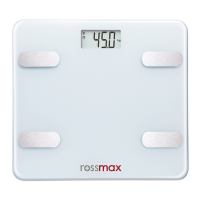
The Rossmax Model WF262 is a Bluetooth Body Fat Scale designed to provide comprehensive body composition measurements and seamlessly integrate with a smartphone application for data tracking and analysis. This device is intended for private use to help individuals monitor their health and fitness progress.

Function Description

The primary function of the Rossmax WF262 is to measure body weight and estimate various body composition parameters, including body fat percentage, body muscle percentage, visceral fat level, Basal Metabolic Rate (BMR), and Body Mass Index (BMI). It utilizes bioelectrical impedance analysis (BIA) technology, where a very low electrical signal passes through the body to estimate these values. The scale displays weight readings directly on its LCD screen, while other detailed body composition data are transferred to a connected smartphone application, "Healthstyle APP," for comprehensive tracking and analysis.

The scale calculates BMI using the formula: weight(kg) / (height(m) * height(m)), providing a simple index to classify underweight, normal weight, pre-obesity, and different classes of obesity. Body fat percentage indicates the amount of stored fat as a percentage of total body weight, which is crucial for basic body functions like organ protection, joint cushioning, and temperature regulation. Body muscle percentage reflects the proportion of muscle mass in the body. Visceral fat, a type of fat stored within the abdominal cavity, is also measured, as high levels can increase the risk of serious health problems. BMR, or Basal Metabolic Rate, indicates the minimum caloric intake required to sustain the body's everyday functions at rest.

Usage Features

The Rossmax WF262 is designed for ease of use with several user-friendly features.

Preparation and Setup: Before first use, users need to remove an isolation sheet from the battery compartment. The scale operates on three "AAA" batteries. Battery replacement is straightforward: press down and lift the battery cover, replace the batteries according to the indications, and then reattach the cover. It is crucial to insert batteries with correct polarities and use brand-new batteries of the same brand and type.

Unit Switching: A unit switch button located at the bottom of the scale allows users to select their preferred measurement unit: kilograms (kg), pounds (lb), or "公斤" (kilo gram). This selection is made when the monitor displays "0.0".

Taking a Measurement:

  1. Placement: The scale must be placed on a firm and flat floor, avoiding cushioned surfaces like carpets or mats, to ensure accurate readings.
  2. Smartphone Integration: For full functionality, users need to download and install the free "Healthstyle APP" on their smartphone. Bluetooth must be enabled on the smartphone, and personal data should be set up within the app.
  3. Automatic Activation: The scale turns on automatically when a user gently steps on it. The LCD display will show "0.0 kg(lb)" and a Bluetooth symbol.
  4. Bluetooth Pairing and Data Transfer: The device pairs with the smartphone via Bluetooth. A successful connection is indicated by an illuminated Bluetooth symbol (x) on the scale's display. If pairing fails, the symbol will illuminate, and subsequent readings (up to 10) will be temporarily stored in the device. These stored readings will be automatically transmitted to the app upon the next successful connection.
  5. Measurement Process: Users should step onto the measurement platform carefully with bare feet, ensuring their feet are on the electrodes (stainless steel area). It is important to remain stationary until the measured reading stops flashing on the display, indicating completion of the measurement.
  6. Reading Display: The measured weight will blink twice and then lock on the LCD display. All detailed body composition values (body weight, body fat in %, muscle in %, visceral fat level, BMR, and BMI) can then be checked and tracked within the Healthstyle APP.

Important Usage Notes:

  • Users should wait for "0.0 kg" to appear before stepping on the monitor.
  • The monitor automatically powers off after 15 seconds of inactivity to conserve battery.
  • Unpairing the device does not delete data from the app; re-pairing retains prior reading history.
  • Bluetooth data transfer consumes battery capacity.
  • Users with implanted medical equipment (e.g., cardiac pacemakers) or those using life support medical equipment should not use the scale due to potential interference from the low electrical signal.
  • Pregnant women should avoid using this device.
  • Measurements should be taken with dry, bare feet on the weighing platform.
  • Individuals with disabilities should seek assistance or use support devices to prevent falls.
  • Avoid dropping heavy objects on the monitor, as the glass surface is breakable.
  • Do not step on the edge or jump on the measurement platform to prevent injury or device damage.

Maintenance Features

Proper care and maintenance ensure the longevity and accuracy of the Rossmax WF262 scale.

Cleaning: The scale should be cleaned only with a slightly damp cloth. Harsh solvents or abrasive cleaning agents should not be used, as they can damage the device. The scale should never be submerged in water.

Storage: Store the scale in a dry location and keep it horizontal. Direct sunlight exposure should be avoided. When not in use for extended periods, it is recommended to remove the batteries to prevent leakage and potential damage.

Handling: Handle the unit gently and avoid strong shocks, such as dropping it on the floor, to prevent damage to the internal components and the glass surface.

Troubleshooting: The manual provides guidance for common error messages:

  • No display: Indicates a flat or missing battery, or improperly installed batteries. The solution is to replace or re-insert batteries correctly. If the weight is less than the auto-on value (5-15kg), users need to step on the scale or press it hard to meet this threshold.
  • "Lo" symbol: Signifies low battery, requiring battery replacement.
  • Dashed lines (---): Indicates that the weight value exceeds the maximum measurement range (150 kg). Users should remove the critical load to prevent load cell damage.
  • "[ ]" symbol: Denotes a measurement error, prompting users to re-follow the measurement steps.
  • "a" symbol: Indicates a data transmit failure, suggesting users connect the device with their smartphone and try transferring data again.

By following these guidelines, users can ensure accurate measurements and extend the lifespan of their Rossmax WF262 Bluetooth Body Fat Scale.

Rossmax WF262 Specifications

General IconGeneral
Product NameRossmax WF262
CategoryScales
Weight Capacity180 kg
Measurement Unitskg/lb/st
Weight Increment0.1 kg
Visceral Fat Rating1 - 59
Display TypeLCD
Auto Power OffYes
Auto Shut OffYes
Auto CalibrationYes
Platform MaterialTempered Glass
Maximum Weight Capacity180 kg
Graduation0.1 kg
Body Fat Measurement Range5.0% - 50.0%
Muscle Mass Measurement Range10%
Bone Mass Measurement Range0.5%
Power SourceBattery
Dimensions300 x 300 mm
TypeBody Fat Analyzer Scale