5. 3D vertical motor does not work
kneading
motor
3D
motor
3D
motor
kneading
motor
Troubleshooting
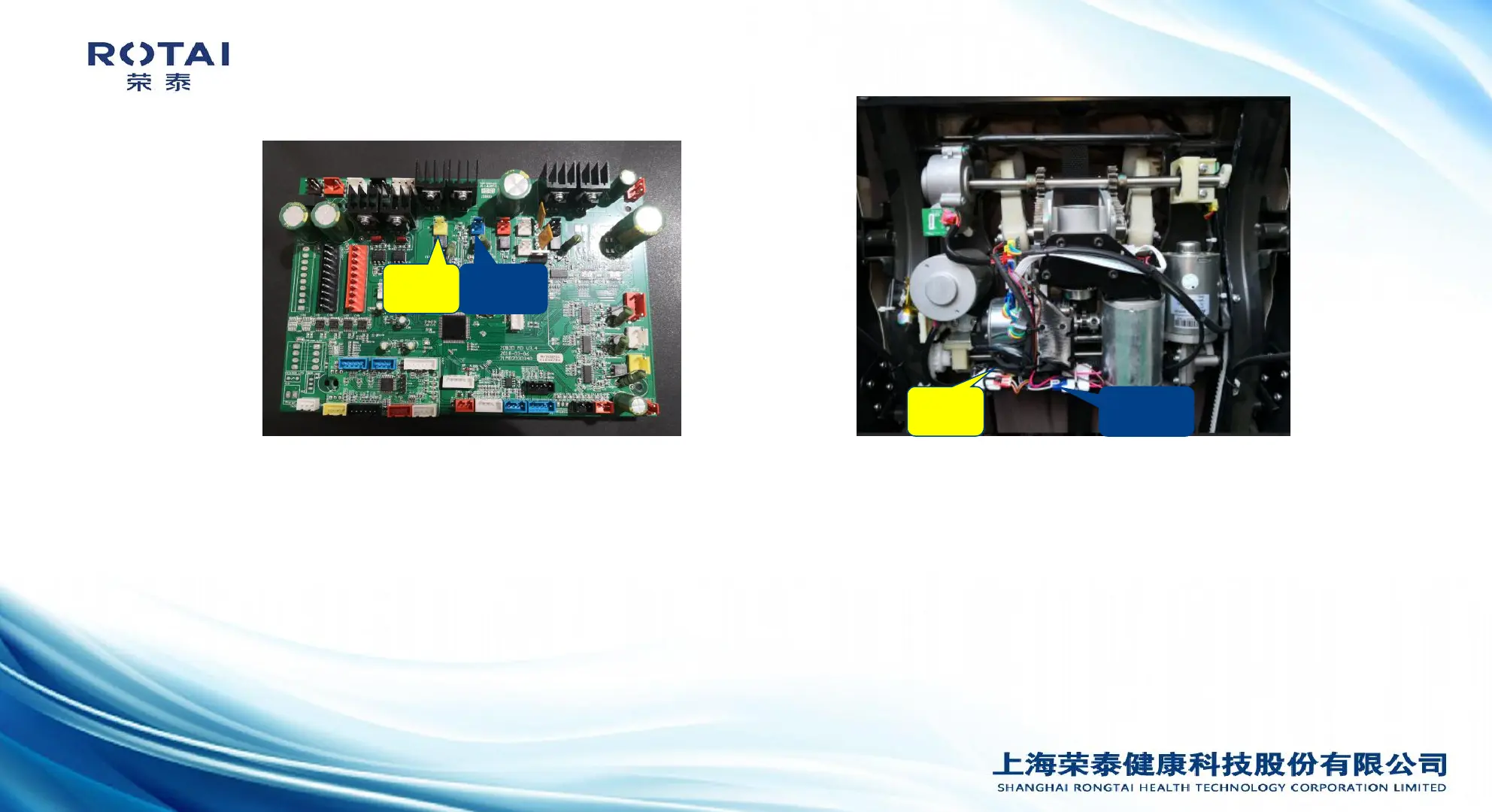
Picture 1 Picture 2
1.Motor is damaged
2.Mainboard is damaged
3.Limit detecting board is
damaged
4.Back connecting cable is
damaged
1.Select MANUAL mode, KNEADING massage. Find the massage mech 3D motor plug and switch it with kneading
motor plug. If motor does not work ,replace with a new motor.
2.If it works, replug the motor to original position, open the power box, insert the yellow (vertical 3D motor) plug into
the blue socket; If it does not work, replace the connecting cable or the poor connected pin (use multi-meter to test
it).
3. If it works, then check the vertical 3D motor 5V voltage (red,yellow wire around 5V, yellow,blue wire around 4.5V,
yellow green around 4.5V). If output voltage is normal, then replace limit detecting board. If no voltage, check the 3D
interface board output voltage is normal or not, if its not normal, check the connecting cable pin or replace a new
back connecting cable. If its normal, the mainboard is damaged, replace with a new mainboard.
(Attention:Please do not over run the 3D vertical motor during test.)
Analysis of causes: Method of exclusion:


 To Next Page
 Loading...