Changing brightness and colour temperature
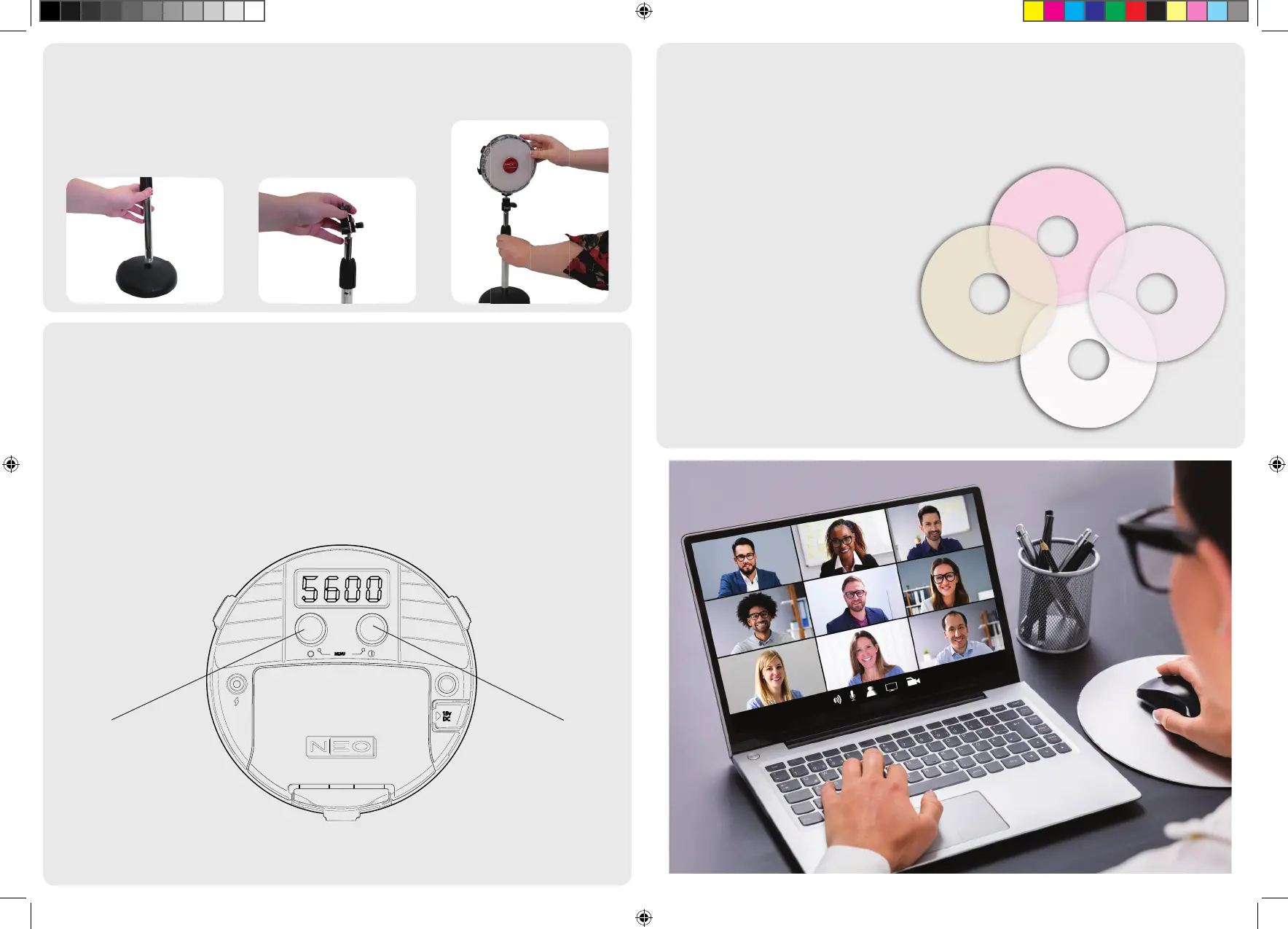
Colour temperature describes the colours for use in a range of lighting situations; measured in units called
degrees kelvin (K).
As a general rule, in order to get the best looking results on your video, you want to match the colour of the
light from your NEO 2 to the ambient colour of the lighting in the room or setting in which you’re lming.
For example, if you are shooting outdoors or with daylight coming through the window, you should set
your NEO 2 to 5600 kelvin. If you are shooting in a room with warmer tungsten lighting then 3200 kelvin will
achieve the closest match. The brightness and colour temperature of your NEO 2 can be adjusted using the
two knobs on the rear of the light.
Using the included lters
The Video Conference Kit ships with four lters for di usion and skin tone enhancement. Filters can be
combined and used in tandem if needed. For best results, use either the 216 and/or 184 di usion lters
for a attering light. For a more subtle e ect, use the 250 half di usion lter.
Included lters:
184 - Di usion with a peach
warmth - ideal for lighter skin tones
or to remove shine
279 - Magenta lter to eliminate
green casts
250 - Half white di usion - subtle
di usion for a soft light
216 - White di usion - full di usion
for and even softer and more
attering light
Loosen the black bracket by twisting it anticlockwise. Once it has been loosened, you can lengthen the
upper section of the stand to the desired height.
To secure, just fasten the bracket by twisting it clockwise.
Adjusting the desktop stand
15v
DC
MENU
Brightness Colour Temp
Quick Start Guide NEO.indd 2 27/07/2020 13:53


 To Previous Page
 Loading...