#&''%& !&
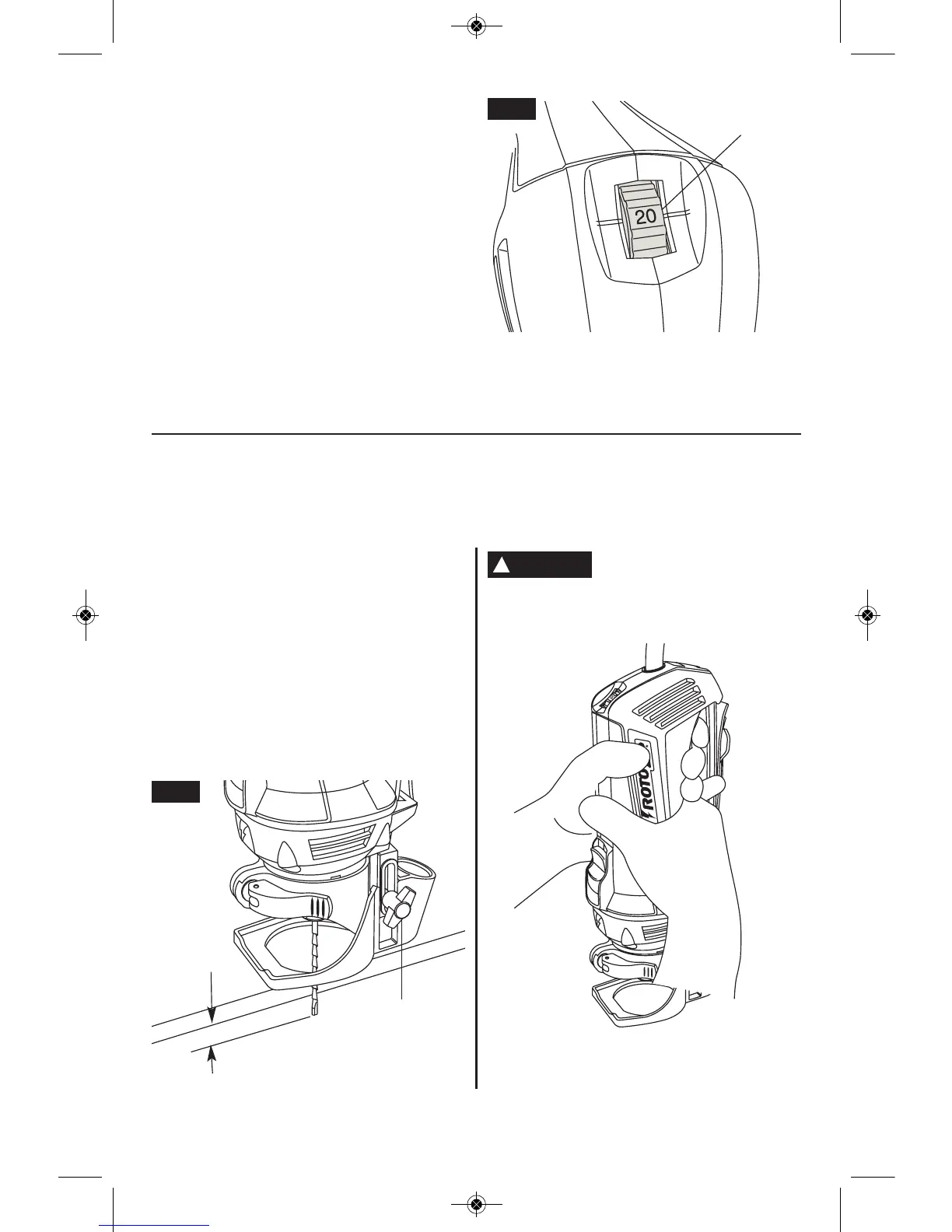
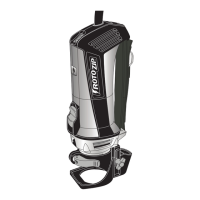
Use the depth guide to adjust the depth of
cut. Loosen the thumb screw by turning it
counter-clockwise until the depth guide can
slide freely to the desired depth of cut (about
1/8” greater than material thickness) and
retighten the thumb screw (clockwise)
(Fig. 9). For bits with a guide point, make
sure that the entire guide point tip will extend
1/8” beyond the material thickness (Fig. 2).
For standard point bits, make sure that the
fluted end of the bit extends 1/8” beyond the
material thickness.
;80@41@;;825>98E-:0
-B;50/859./A@@5:3;:
@411031;2@419-@1>5-8 Be ready for a
potential kickback, where the tool can
suddenly get out of control.
!;@1 always adjust the bit depth as shown
in figure 9, and plunge cut per figures 10 &
11.
1/8"
THUMB
SCREW
FIG. 9
&$"!($
%#"!&$"
The electronic speed control feature allows
motor speed to be matched to cutter size and
material hardness for improved finish,
extended bit life, and higher performance.
Speed changes are achieved by rotating
Control Dial UP to increase speed, DOWN to
decrease as indicated on housing (Fig. 8).
Speed may be changed while tool is on. The
reference numbers on the dial facilitate re-
setting control to desired speed.
SPEED
CONTROL DIAL
FIG. 8
-15-
!
WARNING
RZ 2610021432 10-12_RZ 2610021432 10-12.qxp 10/30/12 9:57 AM Page 15


 To Next Page