This document outlines the assembly, safety, and operational instructions for the Eryk/Athena E-Standing Desk, a height-adjustable desk designed for ergonomic use.
Function Description:
The Eryk/Athena E-Standing Desk is a height-adjustable workstation designed to provide an ergonomically suitable height for users. It features an electric lifting mechanism controlled by a handset, allowing for free adjustment of ascending and descending heights. The desk is intended for use in environments free from high humidity or dampness. Its primary function is to offer flexibility in working posture, promoting user comfort and health. The desk also incorporates several smart features such as location storage for preferred heights, a time reminder for standing/sitting intervals, anti-collision protection, and a child lock function.
Important Technical Specifications:
While specific numerical technical specifications like weight capacity or exact height range are not explicitly listed, the manual provides several key details:
- Adjustable Range: The frame length is adjustable from 1010-1750mm, accommodating various tabletop widths.
- Power Supply: The desk operates on a 110-240V outlet.
- Operating Temperature: The recommended work environment temperature is 0-40 °C.
- Obstacle Clearance: A minimum clearance of 500mm under the table is required to prevent crushing of body parts or property during operation.
- Control System: The desk utilizes a control box (7) and a handset (8) for operation. It supports two-section and three-section columns, indicated by "70" and "60" respectively during reset.
- Anti-Collision System: This system is designed to prevent damage by immediately reversing the desk's movement if an obstacle is encountered during ascent or descent. Note that this system is temporarily disabled during reset processes.
- Gyroscope Sensitivity (Parameter "2-y"): Adjustable from 0 (off) to 8 (most insensitive) for resistance to stop accuracy.
- Up-Current Resistance Stop Accuracy (Parameter "3-y"): Adjustable from 0 (off) to 8 (most insensitive).
- Down-Current Stop Precision (Parameter "4-y"): Adjustable from 0 (off) to 4 (least sensitive).
- Installation Distance (Parameter "yyy"): Displayed in centimeters.
Usage Features:
- Height Adjustment: Users can freely adjust the desk height using the "up" (▲) and "down" (▼) keys on the handset.
- Location Storage and Memory Operation: The desk can store desired height positions. To set a memory position, adjust the desk to the desired height, press and hold the "M" key until "S–" is displayed, then press a number key (1, 2, or 3) to save the position. This allows for quick recall of preferred heights with a single click. (Note: Two-key switches may not have this function).
- Time Reminder: A reminder function can be set for standing/sitting intervals. Press "1+3" keys, and the handset will display 0.0h to 9.0h. Use the UP or DOWN button to set the desired duration.
- Anti-Collision Protection: This safety feature automatically reverses the desk's movement if it encounters an obstacle during height adjustment, preventing damage or injury. The desk will resume normal operation once the obstacle is removed.
- Child Lock: The desk can be locked to prevent unintended operation. To lock, hold the "▲" and "▼" keys simultaneously for 5 seconds until "Loc" is displayed. To unlock, hold the same keys for 5 seconds until the display returns to the normal digital height.
- Initialization/Reset: After initial installation or power failure, the desk requires initialization. This involves pressing the "V" button until the desk reaches its lowest position, then holding "V" for 5 seconds until a beep sounds and "60" or "70" is displayed, confirming the reset. This step is crucial for proper function.
- Internal Parameter Settings: Advanced users can access a setup interface by long-pressing the "M" key for 10 seconds. This allows adjustment of parameters such as display units (CM/INCH), gyroscope sensitivity, current resistance stop accuracy, and installation distance.
Maintenance Features:
- Troubleshooting Guide: The manual includes a comprehensive list of error messages displayed on the handset (e.g., HOT, LOC, E4, E6, E7, E8, E11-E28, E36, E42, E43) along with their possible causes and solutions. This allows users to diagnose and resolve common issues.
- Component Replacement Guidance: For more complex errors (e.g., E11-E28 indicating a defective control box or lift column), the manual provides steps to identify the faulty component (control box or specific lift column) and suggests replacement.
- General Safety Warnings: Emphasizes unplugging the power supply during lightning or extended periods of non-use, keeping the work environment clean and free from corrosive substances, and ensuring proper cable management to prevent damage during desk movement.
- Assembly Instructions: Detailed step-by-step assembly instructions are provided, including attaching legs, side brackets, feet, and the tabletop, as well as connecting the control box, handset, and cables. This facilitates proper initial setup and potential reassembly.
- Leveling Studs: The desk includes leveling studs (6) that can be adjusted to ensure the desk is stable and level. Unscrewing increases height, while screwing in lowers it.
- Avoid Over-tightening: Repeated warnings throughout the assembly steps advise against over-tightening screws to prevent damage to the product.
- Professional Assistance: The manual implies that for certain issues, such as replacement of controllers or specific lift columns, professional intervention or replacement parts may be necessary. It also states that the company does not take responsibility for damage or injury caused by abnormal operations, highlighting the importance of following instructions.

 Need help?
 General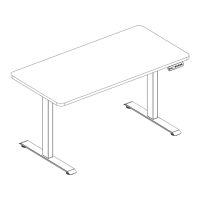

 To Next Page