21
filter itself to establish the filter saturation rate.Once the saturation rate has reached its maxi-
mum, the filter must be replaced. You have to check the filter saturation rate every six months.
• The pre-filter can be re-used: remove the dust using a vacuum cleaner or wash with water.
CAUTION:
• The appliance’s efficiency can be reduced if the pre-filter is not cleaned regularly.
• Never use a pre-lter that is still damp.
• The pre-lter is the only lter which can be re-used and washed with water. The particle, NanoCaptur
and active carbon filters cannot be cleaned and re-used. Never wash with water.
• To replace the lters, follow the instructions in the section « Disassembling/Reassembling lters».
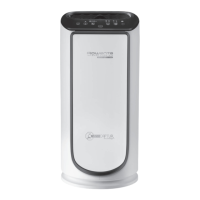
Your replacement filters are available under the following codes:
Filtre Code PU4080 Code PU6080
Allergy+ lter XD6074 XD6077
Active carbon lter XD6060 XD6061
Nanocaptur lter XD6080 XD6081
IMPORTANT: Resetting the lters
The reset light flashes when a filter needs to be replaced or cleaned (Prefilter). Once the filter has
been replaced, hold down the reset button for 3 seconds.
.
Forced reset:
If you have replaced a filter before its end of life, force the reset of the filter replacement cycle:
1. Hold the reset button for 3 seconds.
.
2. Press the reset button briefly to select the filter you have changed.
3. After selecting the filter to reset, hold the reset button for 3 seconds. The new filter life is then
reset.
4. If the reset filter button is not is activated for 10 seconds in forced reset mode, the reset mode
is canceled.
« TIPS FOR CHANGING FILTERS »
• Avoid handling used filters if you suffer from allergies or asthma.
• Wear gloves when changing the filters, or wash your hands well afterwards.
• Put used filters directly into a closed, air-tight bag before throwing them away to
avoid spreading pollutants.
POLLUTION SENSORS
The particles sensor and gas sensor (model PU6080 only) need to be cleaned regularly (every 2
months) and appropriately.
Make sure you turn o and unplug the appliance before cleaning the pollution sensors and follow the
recommendations below:
1. Clean the air inlet and outlet using a soft brush or cloth.
2. Open the sensor cover located on the right-hand side of the appliance.
3. Lightly wet a cotton swab and remove any dust from the lens and the inlet/outlet. Wipe using
a dry cotton swab.
4. Clean the gas sensor using a soft brush or vacuum cleaner.


 To Next Page